Dmytro CianBay · 22.11.2026 · 5 min read
WooCommerce pre-orders and backorders: selling products before stock arrives in 2027
Set up pre-orders, backorders, stock alerts, deferred payments and availability dates in WooCommerce without overselling incoming inventory.

A UK retailer is launching a new pair of headphones next month. A furniture maker in the US builds customised desks only after accepting an order. Neither business can dispatch those items immediately, but each has customers ready to commit. WooCommerce can support sales before products are available to ship. The important decision is which kind of commitment your store should offer and how your order system will fulfil it.
Pre-order, backorder or waitlist?
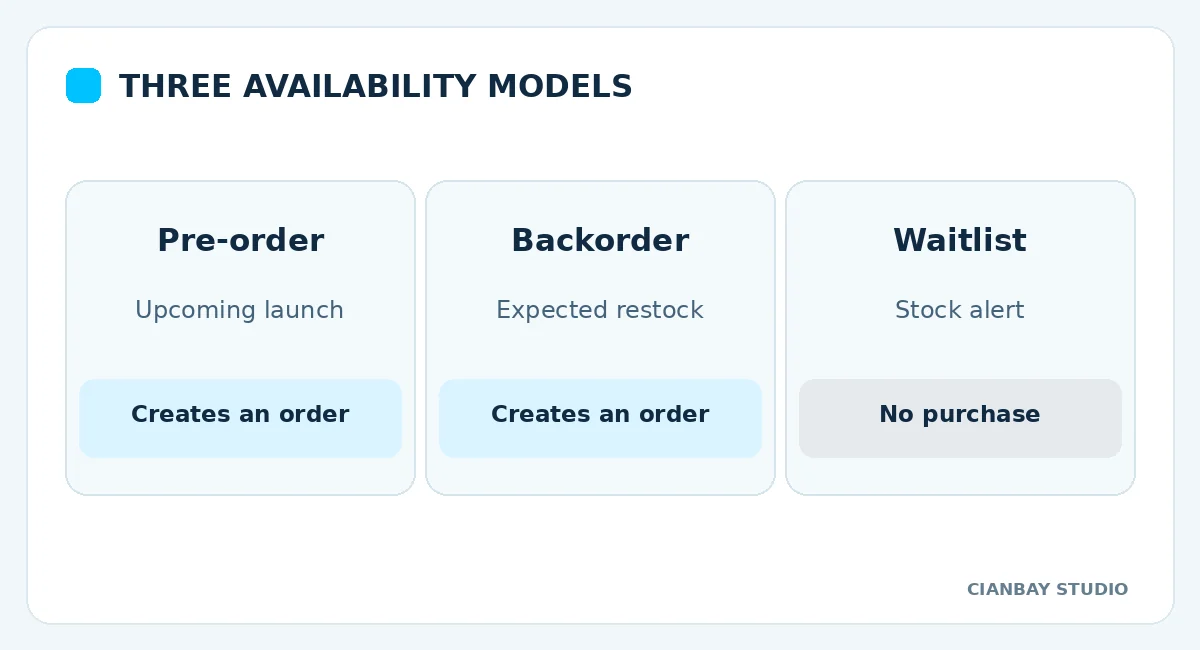
A pre-order typically allows customers to purchase a product before its public release. A backorder is an order for an existing item that temporarily has no available stock. A waitlist allows someone to request an alert without creating a purchase. Made-to-order manufacturing adds a different requirement: the merchant must confirm specifications and production lead times, possibly with a deposit. These categories can overlap, but they should not be presented as interchangeable to customers.
Enabling WooCommerce backorders
Core WooCommerce includes backordering. Enable inventory management for the product and select the backorder option that notifies shoppers that the product is unavailable for immediate dispatch. See the product editor inventory documentation for configuration details. If a blue jacket is available and a green jacket is not, the inventory setting must reflect the selected variation. Do not apply a single stock message to every variant unless their fulfilment conditions are identical.
Core backordering does not automatically impose a maximum number of future sales or calculate the supplier's expected arrival date. It can allow stock to become negative. A merchant should decide whether to accept all requests, cap them at a confirmed supplier quantity or stop accepting them at an operational threshold.
Pre-orders with a release date
The official WooCommerce Pre-Orders extension provides a dedicated model for launch campaigns. It supports an optional future release date, customised messaging and different charging schedules. Use it when announcing a new product or limited edition, and specify whether the date refers to the public release or the estimated dispatch date. A product arriving at your warehouse on Monday may need testing, labelling and picking before it can actually leave.
If a release changes, update the catalogue, emails, support scripts and any product advertising at the same time. Give existing customers a clear way to request help and, where applicable, cancel their purchases.
How payments should work
There are three common business models: collect the entire amount at checkout, request payment when the product is ready, or collect a deposit and then the balance. Automatic future charging requires a compatible gateway and pre-order integration, not merely an ordinary card payment plugin. The WooCommerce gateway integration guide describes the specific behaviour required. For example, test the exact Stripe or other gateway extension used by your shop, including authentication and failed future payments. A manual payment link on release is a valid alternative when automatic charging is unavailable.
For a custom desk, a deposit may help fund materials before construction. The official WooCommerce Deposits documentation lists Pre-Orders as incompatible, so do not assume that installing both extensions creates a combined deposit-preorder checkout. Evaluate a supported solution or design the bespoke ordering process separately. Document cancellation and refund handling clearly, and confirm tax and consumer requirements for the countries you serve.
Example: prevent overselling an incoming shipment
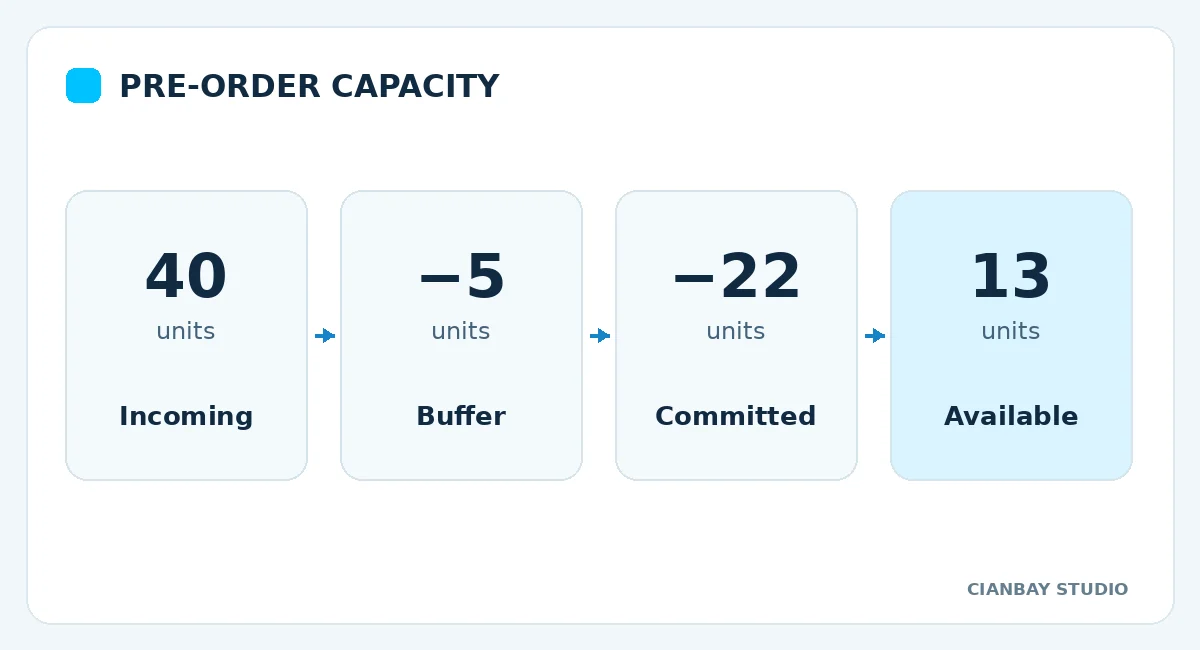
Suppose a supplier confirms 40 units. The merchant holds five as a safety buffer for shortages or damaged units, leaving a limit of 35 confirmed pre-orders. With 22 units already committed, the business can offer 13 more. This is an illustrative operating rule, not the default behaviour of WooCommerce. Implement a counter that handles multiple units per order, concurrent checkouts and cancellation. The stock controller must distinguish physical units currently on hand from units expected at a future date. See our guide to inventory and ERP integration.
Mixed baskets and shipping
Imagine a customer buying a ready-to-ship charging cable together with a future device. Do they want the cable immediately, or would they prefer one parcel later? Your checkout may need separate orders, separate dispatches or one combined shipment. Standard pre-order extensions do not necessarily support mixed baskets or splitting charges. Check the chosen extension before offering the option. For fulfilment through Royal Mail, USPS, UPS or another carrier, test how labels, tracking, shipping charges and warehouse export behave for each parcel. A paid status must not be treated as proof that the physical item is ready.
Waitlists and out-of-stock notifications
If a supplier cannot confirm an arrival, avoid promising a purchase date. A stock alert is a useful alternative. Back In Stock Notifications allows shoppers to request alerts for a product or eligible variation. An alert does not reserve the item, guarantee its price or confer purchasing priority. Explain these limits and collect only the personal data needed for the notification. Do not automatically enrol the shopper in unrelated marketing campaigns.
SEO and product feeds
Keep established product pages accessible when an item is expected to return. Display the accurate status, relevant accessories and alternatives where appropriate. Google Merchant Center requires an availability date when the submitted availability is preorder or backorder. The date and status must correspond to the landing page. Review our Google Shopping integration guide for the wider product feed workflow.
Pre-launch checklist
- Check stock messages on every variation, mobile product page, cart and order confirmation.
- Test concurrent purchases of the final available pre-order quantity.
- Verify payment failure, payment links, date changes and refunds.
- Test cancellation and release of a reserved unit.
- Check mixed baskets and separate shipments.
- Confirm feeds, ERP and customer notifications report consistent information.
Frequently asked questions
Do WooCommerce backorders require an extension?
Basic backorders are available in WooCommerce core. Advanced limits and dates may require an extension.
Can I pre-order without charging immediately?
Yes, when the ordering and gateway configuration supports payment on release or manual payment requests.
Does a waitlist guarantee stock?
No. It records a request for an alert, not a confirmed purchase.
Conclusion
CianBay Studio develops WooCommerce stores with pre-order, payment and inventory workflows for businesses in Ukraine and other countries. We align the storefront with your actual supply, fulfilment and customer service processes.