Dmytro CianBay · 24.11.2026 · 12 min read
Shopify to WooCommerce Migration in 2027: Costs, Risks and SEO
Plan a Shopify to WooCommerce migration: products, orders, customer accounts, 301 redirects, payment setup, cost estimates and post-launch SEO checks.
A Shopify store can work perfectly well for years, yet its owner may eventually wonder whether a growing stack of monthly subscriptions and apps still makes financial sense. Moving to WooCommerce is a serious option, but a successful transition is much more than copying a product spreadsheet. Your checkout, fulfillment, historical orders, customer access, payment integrations and Google visibility all depend on decisions made before launch.
This guide explains how to evaluate a Shopify-to-WooCommerce migration in 2027, build a realistic scope, protect organic traffic and avoid expensive surprises. It is written for business owners and teams planning an actual store move. The cost examples below are illustrative calculations, not quotations or case studies from CianBay clients. Shopify may still be the better platform for businesses that value a managed service over customization.
1. Start with total cost of ownership
Do not compare a Shopify monthly plan with the word “free” on the WooCommerce download page. Put every recurring Shopify expense in one column: subscription, apps, transaction-related charges, optional services and developer work. In a second column, estimate WooCommerce hosting, domain renewals, licensed extensions, maintenance, monitoring and the initial migration project. Include staff time for operational tasks as a cost even if no invoice is involved.
Compare the totals over 12 and 24 months. A complex B2B shop with custom pricing and integrations may gain flexibility and reduce recurring app expenses by using WooCommerce. A small store already operating smoothly with standard Shopify features may not. The question is not which logo is cheaper. It is which setup supports your business requirements for a sustainable total cost.
2. Understand what can move and what must be rebuilt
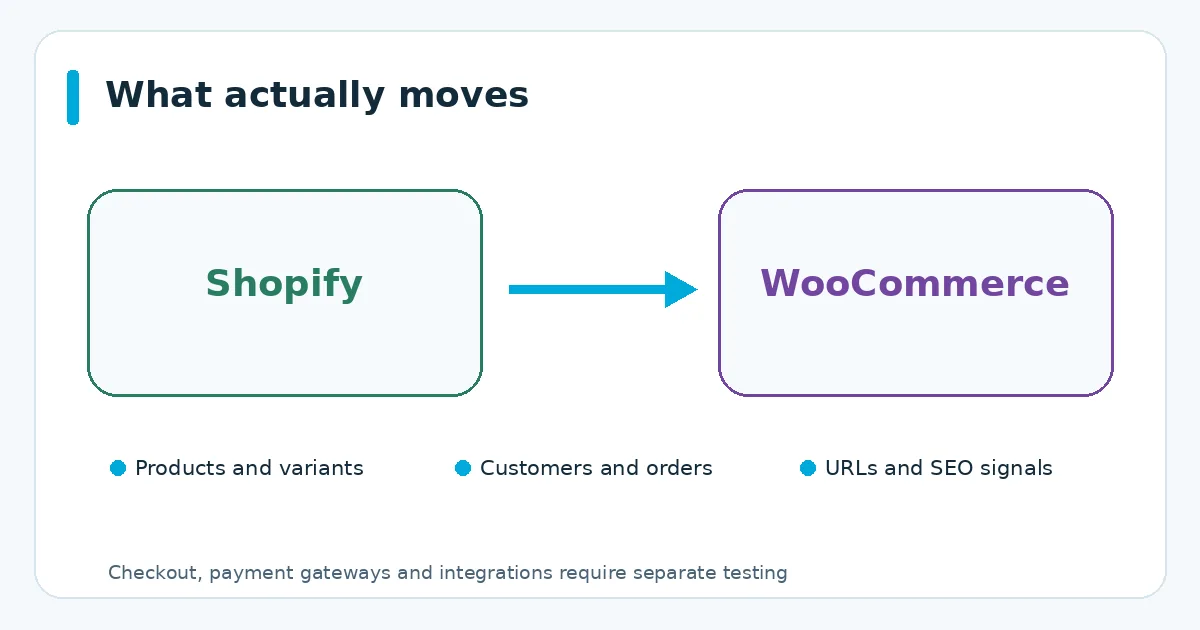
Typical migration candidates include products, SKUs, prices, product variants, imagery, categories, customer profiles, past orders, pages and blog posts. Yet those data sets do not share one universal export format. Shopify collections and metafields do not automatically become accurate WooCommerce categories, attributes or custom fields. Different migration tools cover different resource types; verify their capabilities before choosing one.
The theme, cart behavior, payment methods, shipping rules, discounts, taxes, email flows, analytics, third-party apps and integrations normally need configuration or replacement on the new platform. Customer passwords should not be treated as ordinary portable CSV fields. Plan a secure account-access transition rather than promising customers that their existing passwords will simply appear in WooCommerce. Never store sensitive payment information in a plain export file.
3. Build an inventory before touching the live store
Create a migration inventory with numbers, not vague expectations. Record active and archived products, SKU and variant counts, inventory locations, languages, currencies, shipping zones, payment methods, subscriptions, coupons, discount logic, blog pages, customer accounts and order history. List each active Shopify app and the business process it supports. For example, “sends order status to ERP” is more useful than the name of an app alone.
Classify items into migrate, replace or retain as an archive. Some old orders may only need to remain accessible for customer support or accounting; other data needs to power WooCommerce account pages. Decide this with the business owner and accounting team. Record the owner of every integration and where its credentials are managed without exposing secrets in a project brief.
4. Product imports: test edge cases first
Shopify exports product data as CSV. WooCommerce provides a built-in product CSV importer. Their column structures are not identical, so you must map each source field to the right destination. Check SKUs, parent products, variations, names, sale prices, weights, dimensions, tax status, stock, product galleries and categories. A common failure is importing each size or color as a standalone product instead of a selectable variant.
Before importing the full catalog, choose 10–20 representative items: a simple product, a variable product, an out-of-stock product, a discounted item, multiple images and a product with custom metadata. Import those into staging, then simulate purchases. Check exact variant price and inventory deductions. Only when this sample works should you import the remaining catalog and reconcile source versus destination counts.
5. Customers, historical orders and subscriptions
Shopify offers an order CSV export for reporting, but that file is not the same as a complete WooCommerce order import. You may need an appropriate migration extension, API workflow or a custom transformation. Check whether shipping details, taxes, discounts, payment and fulfillment statuses, refunds and line items map correctly. Imported historic orders should not trigger duplicate customer messages or create new charges. Keep a clear distinction between data preservation and live operational orders.
Recurring subscriptions require special treatment. The payment token linking an existing subscriber to a gateway may not be transferable to a different checkout system. A provider-approved process or renewed customer authorization may be necessary. If the store sells subscription goods, solve this before setting a launch date. A technically complete catalog migration is not a completed subscription migration.
6. Audit your existing SEO footprint
Export a list of valuable pages before changing URL structures: products, collections, editorial articles, guides, frequently linked landing pages and high-performing queries. Use Google Search Console for clicks, impressions and indexing signals. Add analytics and backlink information where available. A URL that has few sales today may still receive valuable inbound links and must not disappear unnoticed.
Build a one-to-one URL mapping for every important source page. Shopify frequently uses paths such as /products/ or /collections/; WooCommerce installations may use /product/ and /product-category/. If addresses change, configure permanent 301 redirects to the most relevant destinations. Sending everything to the homepage is not a viable substitute for proper mapping. For removed products, decide whether there is a truly useful replacement or whether a proper unavailable response is more honest.
7. Redirects, canonicals, sitemaps and internal links
Test old URLs against the new site: does each return the intended 301, reach its final page without a redirect loop and display the expected content? Check canonical URLs, robots directives, XML sitemaps and page metadata. Update menus, blog links, product recommendations and breadcrumbs to point directly to the new destination rather than routing visitors through avoidable redirects.
Google recommends server-side permanent redirects for site moves with URL changes. A temporary ranking fluctuation is possible while URLs are recrawled. The Search Console Change of Address tool is intended for domain or subdomain moves, not for a CMS replacement on the same domain. Treat launch day as the start of monitoring, not the end of SEO work.
8. Languages, markets and international checkout
If you operate in several countries, maintain a page-to-page language map and preserve meaningful translated content. Each localized URL should have appropriate language annotations, canonical choices and search snippets. Do not assume that transferring the English page and enabling a machine-translation plugin solves local search intent. Product availability, delivery estimates, supported payment methods and even legal notices can differ across markets.
For businesses selling in Poland, review delivery providers such as InPost and DPD, appropriate payment gateways and local business documents. For Ukrainian stores, check relevant local carriers and payment providers. For broader international operations, verify currency handling, tax configuration and country restrictions. An available WooCommerce extension is not proof that the entire checkout works with your inventory and CRM integrations.
9. Rebuild processes, not a museum of old apps
Many mature stores contain apps added for campaigns that ended years ago. Recreating every one of them would increase both project cost and technical complexity. Instead, describe what the business actually needs: “inventory syncs with ERP every 15 minutes,” “wholesale customers see their contracted price,” or “support agents can view shipment status.” These outcomes help developers select the simplest reliable implementation.
WooCommerce supports a broad extension ecosystem, but advanced B2B pricing, product configurators, loyalty logic or custom checkout rules may need development. Limit unnecessary plugins. Test mobile search, filters, cart recovery, emails and error messages. A polished theme cannot compensate for an unreliable checkout.
10. How migration pricing is built
A realistic quote normally includes discovery, source data review, data mapping, WooCommerce configuration, storefront setup, payment and shipping integrations, SEO redirects, QA, cutover and a post-launch support period. Domain, hosting, premium extensions and unusual external APIs may be billed separately. Catalog size alone is a poor pricing measure: 100 simple products are easier than 100 variants linked to subscriptions, multiple warehouses and ERP.
Illustrative budget example, not a CianBay rate: suppose a migration costs €900 and the business genuinely saves €60 per month after all ongoing costs. The simple payback period is 15 months (€900 divided by €60). The calculation changes if WordPress maintenance, security or support costs increase. It can also be justified by control and functionality rather than direct cash savings. Ask for a scope-based quote with explicit assumptions.
11. Schedule, milestones and acceptance criteria
A migration timeline depends on data quality, integrations and operational risk as much as product count. A small shop with standard payment and shipping may be easier to migrate than a multilingual store with customer-specific pricing, subscriptions and an ERP. Never accept a fixed three-day promise before the technical requirements have been reviewed.
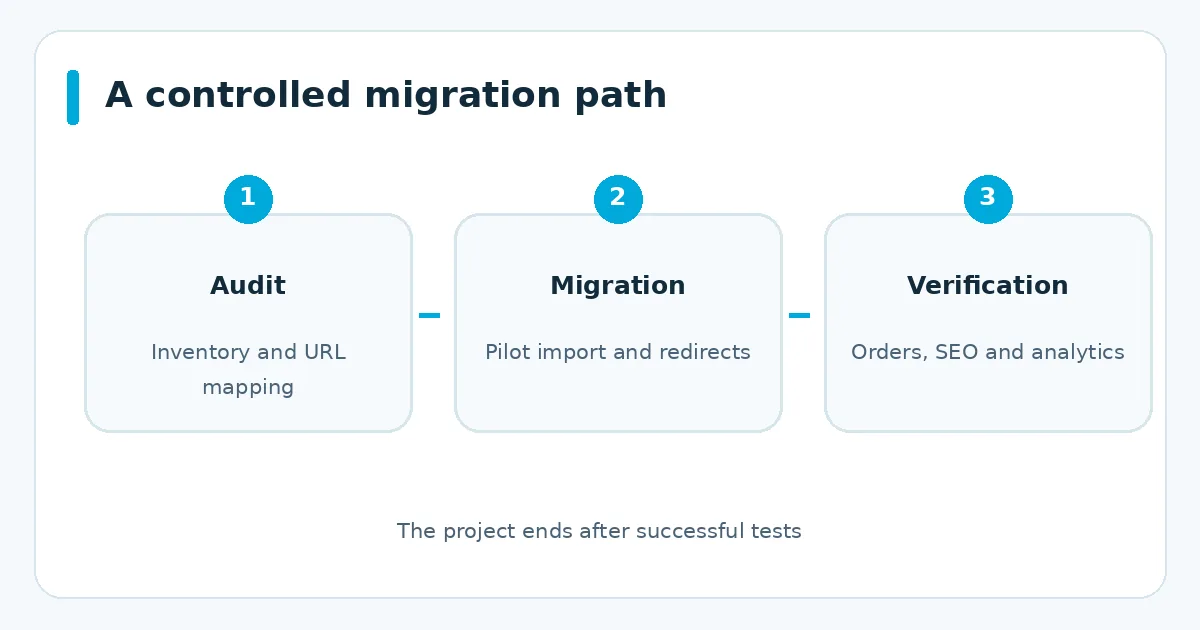
A practical sequence is audit → data and URL mapping → staging → pilot import → payment and shipping setup → SEO checks → full import → final synchronization → launch → monitoring. Give every stage measurable acceptance criteria. For example, all active SKUs reconcile, three real test orders complete, the most valuable URLs redirect correctly and staff can fulfill an order without referring to the old admin panel.
12. Cutover without losing new orders
The live Shopify store continues selling while staging is being built. Data exported days earlier may therefore be out of date. Define a freeze window or final incremental synchronization before switching traffic. Reconcile orders placed after the initial snapshot and check live stock quantities. If an item sells twice during the transition, someone must own the resolution procedure.
Prepare a cutover runbook for DNS changes, payment settings and the final verification checklist. Include rollback authority, backups, access to the old platform and a plan for customers who order around the switch. Do not close the old system immediately after the first successful transaction. Ensure staging is protected and personal customer information is handled under appropriate access controls.
13. Watch the first seven days closely
After launch, repeatedly test desktop and mobile purchases, shipping calculations, tax and discount logic, stock deductions, email delivery, ERP/CRM updates and refunds. Monitor HTTP 404 and 5xx errors, redirect problems, index coverage, sitemap processing, canonical selections and Search Console performance. Note whether analytics purchase events are being recorded without duplication.
Do not confuse an early visibility fluctuation with proof that the migration has failed, but investigate rising 404 totals or missing product pages promptly. Track each issue in a simple log: problem, business impact, owner, fix date and retest result. Compare similar periods and account for seasonal demand before interpreting revenue changes.
14. Seven costly migration mistakes
1. Importing all products without a variation test: pilot representative SKUs first. 2. Redirecting every old URL to the homepage: map to relevant equivalents. 3. Changing platform, domain, language and structure at once: stage changes where feasible. 4. Forgetting recurring payments: involve the gateway before cutover. 5. Assuming old order CSV means complete order migration: verify fields and statuses.
6. Skipping real checkout tests: test payment success and failure, shipping, email and refunds. 7. Deactivating the old platform too early: keep agreed access for reconciliation and rollback. A good migration checklist assigns every risk an owner; it does not merely list plugins to install.
15. When keeping Shopify is the sensible decision
If Shopify already meets the business requirements, the team relies on managed hosting and built-in stability, and the projected savings disappear after WooCommerce maintenance, moving may create complexity without value. A specialized POS workflow, subscription integration or app ecosystem can make replacement expensive. There is no universal winner for every business size or country.
A useful migration audit should be allowed to conclude “stay where you are.” Compare the long-term costs and operational benefits and choose the platform that best supports customers and staff. Avoid treating WooCommerce as a zero-cost promise: the software is open source, not a substitute for technical responsibility.
16. Prepare a brief that gets an accurate quote
Tell your developer the current domain, approximate product and variant counts, number of languages, markets, apps, payment and delivery providers, CRM/ERP connections, subscription needs, historical order requirements, key organic landing pages and desired launch period. Define what must remain identical and what can be improved. Share access through appropriate roles rather than sending passwords in messages.
CianBay develops WordPress and WooCommerce stores and can evaluate a migration after reviewing the actual scope. Explore our WooCommerce store service, our guide to Google product feeds, and product page SEO. If you are planning a project, contact the studio. We work with clients in Ukraine and abroad.
Frequently asked questions
Can all Shopify products and orders be transferred intact?
A controlled transfer can be planned, but completeness depends on the source fields, tool and mapping. Run a pilot, compare counts and verify important attributes and statuses before declaring the migration complete. No responsible team should guarantee a flawless result without testing.
Will Google rankings stay exactly the same?
There is no guarantee. Mapping the old and new pages, implementing proper redirects, preserving canonical logic and monitoring Search Console reduces technical risk, but temporary changes may occur during reindexing.
Will customers keep their existing passwords?
Do not assume passwords can be copied through a standard CSV export. Plan a secure account activation or password reset process and communicate it clearly to customers.
Can active recurring subscriptions continue automatically?
That depends on the payment provider, token availability and subscription system. Review it with the gateway before the move; some customers may need to authorize payment methods again.
How much does Shopify-to-WooCommerce migration cost and how long does it take?
There is no reliable universal number. Product complexity, order history, integrations, international SEO, data quality and testing determine the schedule and quote. Hosting, domain and premium services should be priced transparently.
Official sources and documentation
- WooCommerce: how to migrate from Shopify
- WooCommerce: guided Shopify migration
- WooCommerce: product CSV importer/exporter
- WooCommerce: customer/order/coupon CSV import
- WooCommerce: migrating subscriptions and payment methods
- Shopify Help: exporting products
- Shopify Help: product CSV format and limitations
- Shopify Help: exporting orders
- Shopify Help: customer export and password limitations
- Google Search Central: site moves with URL changes
- Google Search Central: redirect types
- Google Search Central: ecommerce URL structures