Dmytro CianBay · 24.11.2026 · 14 min read
Product and Offer Schema for WooCommerce in 2027: Price, Stock, Shipping and Google
Audit WooCommerce Product and Offer schema: price, stock, variants, shipping, returns and JSON-LD. Match product pages with Google Merchant Center feeds.

When someone searches for a product on Google, the listing can be far more useful than a link and a headline. Price, availability, photos, delivery expectations and returns information may help a shopper decide whether to visit a store. Yet those details are not always obvious to a search engine reading the visible page alone. Product and Offer structured data provide a machine-readable description of the product and the merchant’s current commercial offer.
For a WooCommerce store owner, the goal is not to add an impressive-looking JSON-LD snippet. The real job is keeping the public product page, its structured data, and the Google Merchant Center feed in agreement. This guide explains what the properties mean, where discrepancies originate, and how to audit a store without installing conflicting plugins. It reflects available Google and WooCommerce documentation in late 2026, ahead of 2027 planning; check official rules again before deployment.
1. Product versus Offer: two different kinds of information
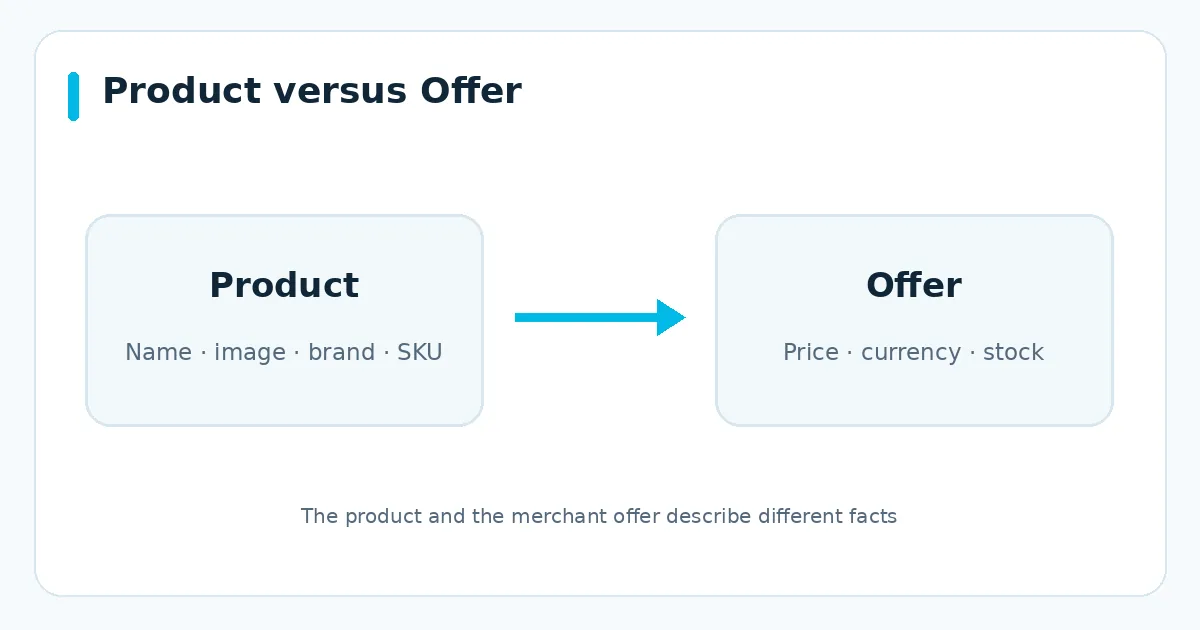
The Schema.org Product type represents the item itself: name, image, description, brand, SKU and supported identifiers. The nested Offer represents a particular seller’s proposal to buy that item, including price, currency, availability and the destination URL. Think of a backpack sold by several retailers. Its model and features describe the product; €49 at your shop describes your offer. Mixing those ideas can lead to misleading data.
Google distinguishes merchant listings for pages where visitors can actually purchase the item from product snippets that can also represent editorial review content. The former have specific eligibility rules, including the use of a concrete Offer within the marked-up product. A valid schema can help a page qualify for enhanced display, but it cannot force Google to show a particular rich result, nor does it automatically lift rankings. The content must comply with Google’s broader Search and merchant policies.
2. Start with the essential fields, not dozens of optional ones
Inspect name, image, offers.price, offers.priceCurrency and offers.availability first. These describe what shoppers need to identify a product and understand the current buying conditions. Depending on the feature, Google lists separate required and recommended attributes. Fields such as sku, gtin, brand, itemCondition, a proper url, and authentic reviews can enrich the description where they genuinely apply.
A larger schema is not necessarily better. Never invent a GTIN to fill a warning, copy a competitor’s product identifier, or fabricate an aggregate rating. Check that the product name matches the landing page, photo URLs work without authentication, the seller is accurately identified, and availability reflects stock. It is usually more productive to fix five high-impact fields across the catalog than add twenty decorative properties to a handful of pages.
3. A practical JSON-LD example for one product
Consider a fictional 20-liter backpack listed for €49. The following code illustrates nesting, not a real offer. Replace the example.com domain, SKU, brand, images and commercial values with data from your own shop. On a live product page, JSON-LD normally appears inside a script element with type="application/ld+json". Do not paste a second Product graph if WooCommerce or your SEO integration already generates the relevant entity.
{
  "@context": "https://schema.org",
  "@type": "Product",
  "name": "Everyday Backpack 20L",
  "image": ["https://example.com/images/backpack.webp"],
  "sku": "BAG-20",
  "brand": {"@type": "Brand", "name": "Example Brand"},
  "offers": {
    "@type": "Offer",
    "url": "https://example.com/product/backpack-20/",
    "priceCurrency": "EUR",
    "price": "49.00",
    "availability": "https://schema.org/InStock",
    "itemCondition": "https://schema.org/NewCondition"
  }
}
Here Offer is part of Product, while price and stock status belong to the offer. On a live WooCommerce site these properties should be generated from the current product record, not maintained by hand. Otherwise a discounted product could continue advertising yesterday’s price in the source code. Another important detail: when both offers.price and offers.priceSpecification describe an active price, Google states that offers.price takes precedence.
4. What WooCommerce generates automatically
WooCommerce already produces product structured data. A theme, SEO plugin, merchant-feed extension or custom code may add to or modify that output. The exact JSON-LD depends on the installed versions and product type. Extensions can enrich the markup with brand identifiers, feed attributes and variant-specific information, but they may also accidentally produce multiple contradictory offers for the same product.
Before installing another schema plugin, inspect the actual product page HTML. Search for application/ld+json, identify the Product entities and compare their @id, SKU, URL, price and availability. Multiple JSON-LD blocks are not inherently wrong: a page might correctly represent an Organization, BreadcrumbList and Product. The problem arises when independent generators claim different prices or stock statuses for the same item. Choose one authoritative source for product data and document which extension manages each additional field.
5. Price, discounts, tax and multi-currency stores
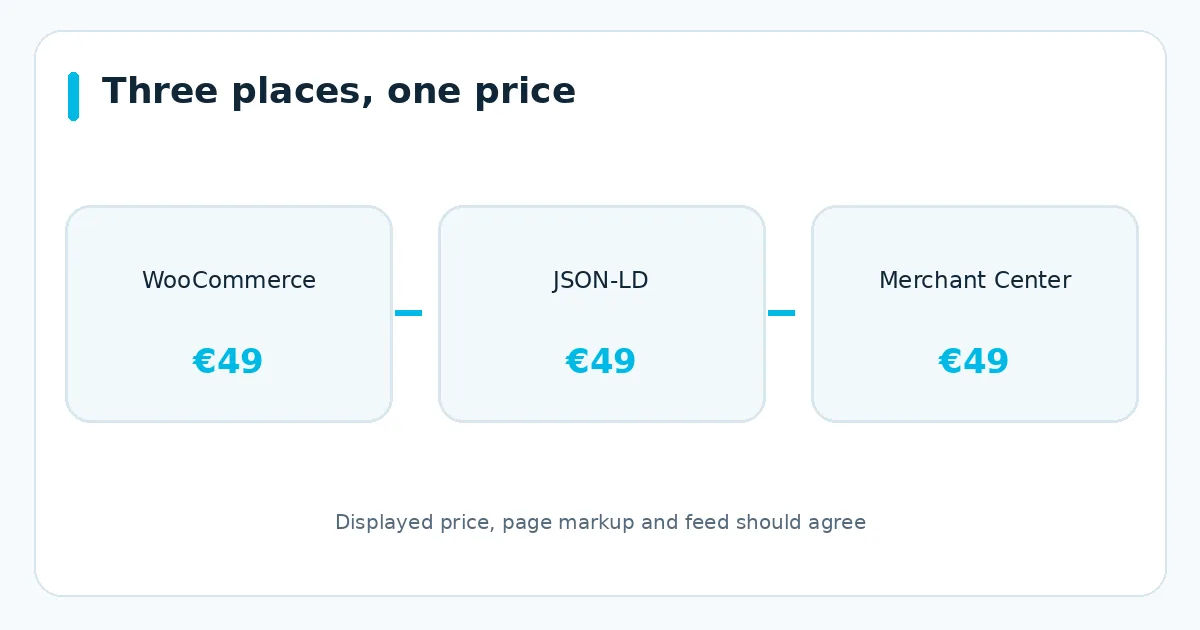
A mismatch between the shopper-facing price and Google’s interpretation is a common cause of product data trouble. Sources of inconsistency include sales that ended, cached HTML, geolocation rules, exchange-rate plugins, tax settings and a feed that refreshes too slowly. The price in Offer needs to reflect what an eligible shopper can actually pay under the represented conditions. Do not label the regular pre-discount price as the current selling price merely to make the schema look complete.
Test the product without logging in, using the market and currency supplied to Merchant Center. Compare the visible price, JSON-LD, feed and checkout. If tax is included for one market but excluded for another, confirm that your feed and landing page meet applicable Google policy for that market. For merchant listings involving multiple currencies, Google recommends distinct URLs for each currency. Test sale start and end times too: a scheduled promotion can fail even when a static product tests correctly today.
6. Availability and the cost of stale stock data
InStock, OutOfStock, PreOrder and BackOrder are not interchangeable descriptions. The schema should mirror what the buyer can actually do on the page. If an item is temporarily unavailable but accepts a legitimate pre-order, the public page should explain that rather than showing an ordinary immediate-purchase message. The correct status depends on the real fulfillment process, not on a desire to appear more attractive in search results.
Warehouses connected through ERP or inventory-management platforms create additional timing risks. The final unit may sell while a CDN is still serving cached product markup. Audit the time from a WooCommerce order to stock adjustment, product page update and feed refresh. For fast-moving products, regular reconciliation and appropriate cache invalidation matter more than a clever schema trick. Test manual edits, imports, refunds that return stock, and concurrent purchases.
7. Variations need their own verification
A product might offer black and blue backpacks with different prices, GTINs or inventory levels. Some WooCommerce configurations output aggregated information about the parent product, while a Google feed may list individual variations. WooCommerce’s own product-feed documentation describes expanded structured data for variation-specific details. This is a configuration to evaluate, not a feature to turn on blindly in every store.
Pick three representative variations: the cheapest in stock, a higher-priced option, and an unavailable option. Compare the selected UI state, destination URL, structured data and Merchant Center item. Google also documents ProductGroup and variant relationships for suitable implementations. If each color has a unique URL, make sure canonical and variant data are internally consistent. Never generate separate products in the markup while displaying only one generic price that has no clear relationship to the selected variation.
8. Shipping: item exceptions and company-wide policies
Shipping depends on destination, order value, product weight, warehouse and service level. For product-specific terms, Google supports OfferShippingDetails nested within Offer. Relevant fields include shippingDestination, shippingRate and deliveryTime, with handling and transit time components where applicable. Do not claim free next-day delivery worldwide because your checkout offers that option only in one city above a minimum spend.
For common store policies, Google also documents ShippingService at Organization level, as well as configurations in Merchant Center. Which method is appropriate depends on how your delivery rules are maintained. For stores shipping internationally, compare actual carrier coverage and checkout results for selected postal codes. A shipping cost revealed only at the end of checkout should not be replaced in markup with a made-up estimate. If country-specific services are offered, distinguish what is available in each market.
9. Returns: build from real legal and customer policies
MerchantReturnPolicy describes the terms customers should be able to rely on. A typical store-wide policy can be described under Organization; a product-specific exception may be attached to Offer. Google’s supported fields include country applicability, the return-policy category, return window and return shipping costs. The schema does not make a store compliant with consumer law and does not replace a readable public policy page.
For EU/EEA markets, assess distance-selling requirements and product exceptions; for the UK, US or other destinations, review the rules that actually apply. Do not automatically copy a fourteen-day window from someone else’s product schema. Make the return terms in your policies, checkout, Merchant Center and structured data consistent. Google documents an order of precedence where multiple sources are supplied, so an accurate website policy can still be overridden by conflicting feed-level settings.
10. A product feed is not the same as page markup
Merchant Center receives catalog data through a feed, integration or API. JSON-LD lives on the product page and helps Google interpret what the shopper sees. Google may use site content for automatic item updates, including price and availability, but this does not eliminate the need to maintain accurate submitted product data. If an ERP changes stock many times a day, a feed that only refreshes occasionally may remain out of sync.
Create a reconciliation table: WooCommerce SKU → feed item ID → destination URL → currency → price → availability → last successful update. This makes it easier to locate errors quickly. Also audit redirects, permissions and regional routing. An otherwise perfect schema cannot repair a product URL that redirects shoppers to the wrong language, displays the wrong currency or leads to a login wall. Treat feed data and on-site structured data as two representations of the same underlying commercial reality.
11. Localized stores must describe actual offers
Translation alone does not create a valid offer for a new country. A store might have separate prices, tax rules, fulfillment locations and return policies for different markets. English is not a synonym for a USD offer; Polish text does not necessarily mean every item can ship to Poland. Each localized product page should show the product and buying terms relevant to its targeted market, with suitable canonical and hreflang links.
In a store serving Poland, verify PLN prices, applicable VAT presentation, local delivery and payment routes. Ukrainian stores may use UAH and local carrier integrations. International storefronts need clearly configured destination countries, currency selection and stock availability. If a Russian-language interface serves customers outside Russia and the CIS, its language choice must not silently assign those regions or shipping rules. Audit the actual commercial configuration rather than inferring the country from the interface language.
12. Three tools for technical and live validation
Rich Results Test checks whether Google can recognize supported structured data and reports relevant errors. Schema Markup Validator can examine Schema.org syntax beyond Google’s particular search feature requirements. Google Search Console shows what happens after Google crawls real URLs, including the Merchant listings report, indexing problems and canonical decisions. Merchant Center provides the product-level diagnostics needed for feed issues.
A validation pass is not simply pasting JSON-LD into a testing field. Test the published page URL, verify that images and scripts are crawlable, and check the final buying price in a private browser session. Repeat after WooCommerce, a theme or a schema-related plugin updates. A test reporting zero critical errors confirms only a technical condition within the relevant tool; it does not prove that Google will show a product card or that a customer can complete checkout.
13. Common errors and how to prioritize them
The first class is conflicting facts: an outdated sale price, a currency mismatch or stale stock status. The second is incorrect entities: duplicate offers that disagree, unsupported fake ratings, a manufacturer identifier attached to the wrong model, or a review page marked as the merchant’s own product offer. The third is technical accessibility: noindex, inaccessible images, authentication barriers, unstable server responses or schema that arrives only after heavy JavaScript execution.
Fix the root cause before editing individual products. If 500 items share the same price-currency error, there is probably a template, feed or tax-configuration problem. Prioritize revenue-driving products and Merchant Center disapprovals, then resolve sitewide markup rules, then fill in recommended optional attributes. Use a staging copy and a small test group before rolling changes across the whole catalog. Keep the intervention reversible and log which plugin or code produced each correction.
14. A seven-day product-markup audit
Day 1: select twenty product URLs covering regular, discounted, variable and out-of-stock items. Day 2: inspect source markup and identify every generator. Day 3: compare page, feed and checkout prices and inventory. Day 4: verify regional shipping and returns policies. Day 5: fix template issues on staging and test real purchasing flows. Day 6: deploy and invalidate only the relevant caches. Day 7: review Merchant Center and Search Console reports and prepare follow-up actions.
This is a workflow, not a promise that Google will recrawl and approve every product within a week. Some corrections depend on external systems or Merchant Center review. Assign an owner for recurring reconciliation and monitor the proportion of valid product items rather than obsessing over isolated warnings that do not affect the target feature. Document the before-and-after data so future plugin updates can be compared against a known-good configuration.
15. What to send a WooCommerce specialist
A useful technical brief includes a set of problematic URLs, a Merchant Center diagnostics export, relevant screenshots, current WooCommerce and SEO plugin versions, configured countries and currencies, product types and inventory data sources. Avoid sending passwords in chat. Ask the developer to identify the authoritative generator of Product and Offer, document the intended structure, test in staging and supply a clear acceptance checklist.
CianBay builds and supports WordPress/WooCommerce stores and can help define the technical scope of a product-data audit. For background reading, see our product page SEO guide, our Merchant Center disapproval guide and our Google Shopping setup article. You can discuss a project through WhatsApp or the contact page. We work with clients in Ukraine and abroad.
Frequently asked questions
Do I need a separate schema plugin for WooCommerce?
Not necessarily. WooCommerce already generates product structured data. First inspect the published markup and look for overlaps with your active SEO and feed extensions. Add software only when you can name the missing functionality and verify it does not duplicate existing Product entities.
Does valid Product and Offer schema guarantee a price in Google?
No. Valid markup can make a page eligible for certain experiences, but display remains at Google’s discretion and depends on crawlability, policies and other factors. Verify results with Merchant Center and Search Console rather than promising a particular search appearance.
Can an offer show a discounted price?
Yes, supported offer price information should represent the actual current selling price. Verify that the sale displayed to shoppers, the markup and the feed agree. Avoid presenting a former regular price as the active price. Exact support for additional sale attributes depends on the relevant Google feature.
Should shipping and returns be marked on every product?
Not always. Store-wide policy data can be provided through supported organization-level markup or Merchant Center settings. Product-level details are useful for exceptions. Whichever method you choose, the terms must match what buyers can actually receive in that market.
Why is a valid product still absent from rich results?
A testing tool cannot guarantee indexing or presentation. Check robots directives, canonical selection, server accessibility, Merchant Center diagnostics and whether Google has recrawled the changed URL. Make sure the page offers a real purchasable product and complies with the relevant policies.
Official references and tools
- Google Search Central: Merchant listing (Product, Offer)
- Google Search Central: Product structured data
- Google Search Central: Product variants / ProductGroup
- Google Search Central: Product snippets
- Google Search Central: Merchant shipping policy
- Google Search Central: Merchant return policy
- Google Search Central: General structured-data guidelines
- Google Merchant Center: Structured data markup
- Google Merchant Center: Automatic product updates
- WooCommerce: Expanded structured data for Product Feed
- WooCommerce: Product feed information
- Google Rich Results Test
- Schema Markup Validator