Dmytro CianBay · 22.11.2026 · 5 min read
WooCommerce Subscriptions and Recurring Payments in 2027
Sell subscription products or services with WooCommerce: automatic and manual renewals, payment gateways, failed payments and membership access.

A coffee roaster ships a new selection every month. A training business charges for ongoing access to lessons, while a maintenance provider collects a recurring service fee. These businesses should not have to ask customers to place an entirely new order every billing period. WooCommerce can support subscription sales when the store is designed around recurring payments, fulfilment and account management.
How subscriptions differ from one-off sales
With a conventional order, a customer purchases a product or service and pays once. A subscription creates an ongoing commercial arrangement with an agreed billing interval, such as weekly, monthly or annually. A renewal order represents a subsequent billing cycle and can trigger shipment, a service entitlement or account access.
WooCommerce core does not provide a complete subscription system by itself. The commercial WooCommerce Subscriptions extension introduces subscription products and renewal management. Evaluate alternatives by testing actual billing and customer workflows, rather than assuming every subscription plugin has the same features.
Which businesses can use recurring sales?
- Consumables such as coffee, pet supplies, nutritional products or cosmetics.
- Subscription boxes and regularly delivered product assortments.
- Education, membership communities and digital content.
- Professional service packages, ongoing support and equipment maintenance.
Decide what the customer receives during each cycle: a physical shipment, a fixed period of access or an agreed quantity of services. Keep the offer understandable, especially when customers can choose between different recurring tiers. An independent online learning platform may use subscription payments alongside separate course-access rules.
How the renewal cycle works
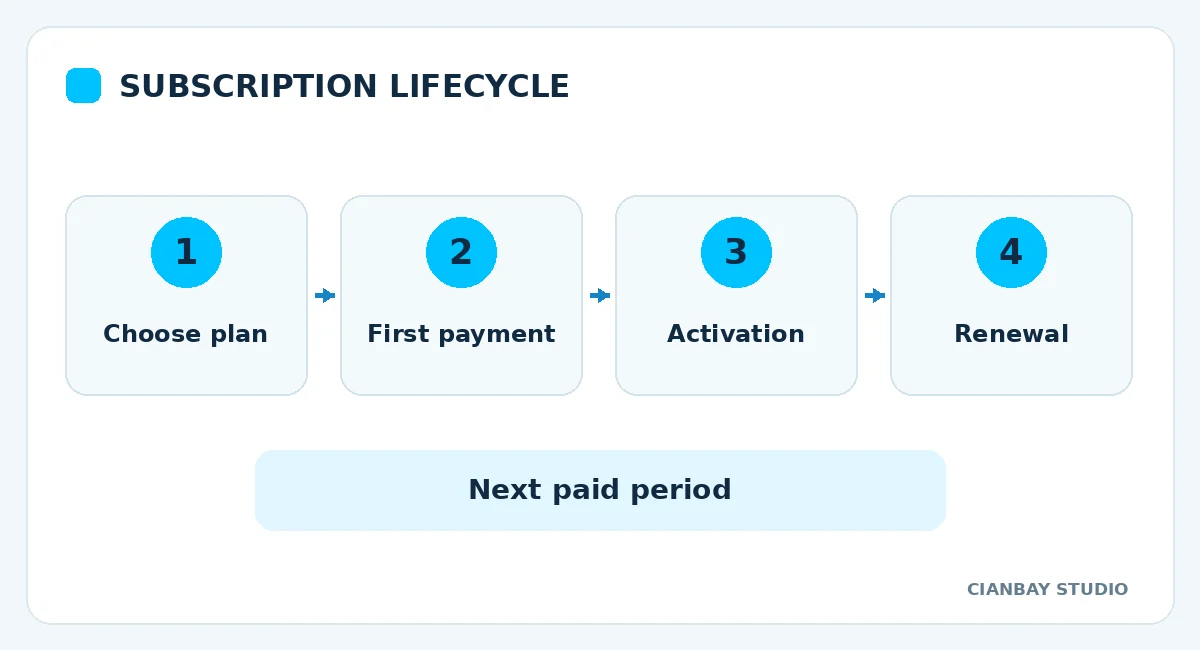
The customer selects a plan, agrees to its terms and makes the initial payment. Once the payment is confirmed, the store activates the subscription and records the next billing date. At renewal, a corresponding order is created and processed. Following successful payment, the paid period is extended or a new shipment enters fulfilment. The official subscription renewal documentation explains the different processing scenarios.
Automatic and manual renewals
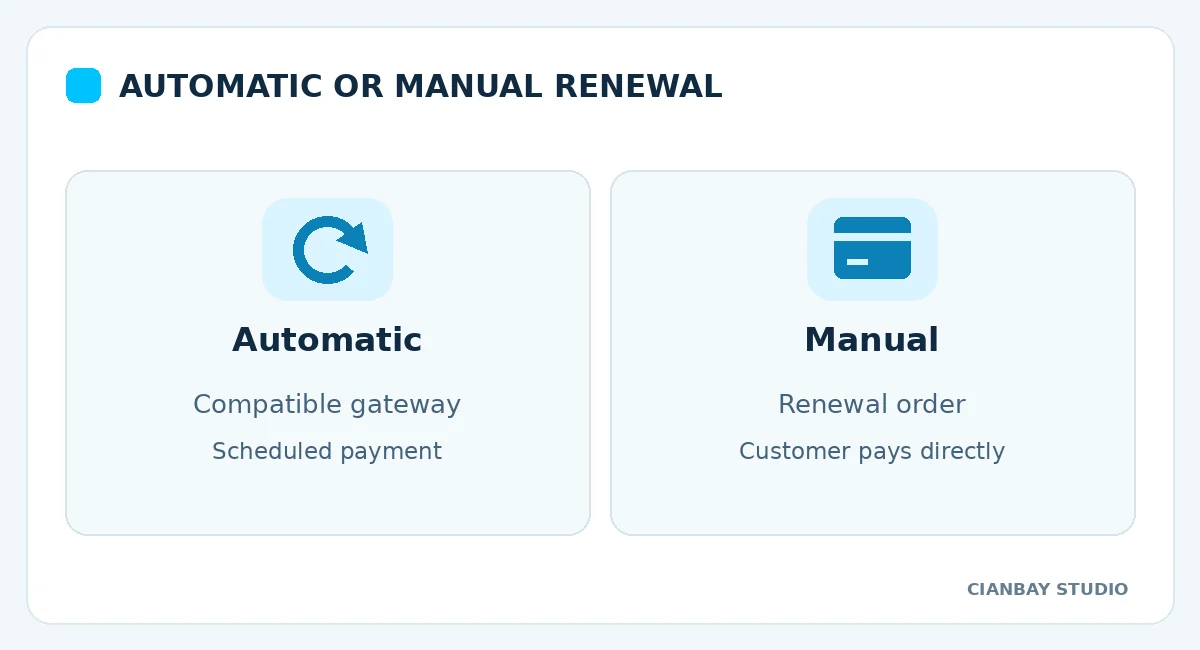
Automatic recurring billing uses an authorised payment method through a compatible gateway. A customer may need to authenticate the initial transaction, after which future charges follow the agreed arrangement. Avoid collecting or storing raw card details or security codes in WordPress; use the payment gateway's supported secure payment flows and identifiers.
Manual renewal means that the customer receives a payable renewal order and completes the transaction. This can suit business accounts that pay invoices by bank transfer rather than storing a payment method. Depending on the implementation, switching off automatic renewal may leave the subscription active until the customer cancels it or fails to renew.
Choosing an international payment gateway
Check the WooCommerce Subscriptions payment gateway compatibility guide. Stripe-compatible and PayPal-compatible extensions may support recurring payments, but not every payment method within each integration supports the same features. Verify merchant account eligibility, currency, automatic renewal support, payment method changes and the handling of failed collections. Do not assume that a gateway suitable for a one-off card sale is automatically appropriate for subscriptions.
Stores operating across several currencies need to decide how an existing subscription is billed when exchange rates change. A pricing or currency plugin must be compatible with the subscription engine. Our guides to website payment integration and multicurrency ecommerce cover the related decisions.
Make subscription pricing unambiguous
Consider a hypothetical coffee box costing EUR 30 a month plus EUR 5 shipping for each delivery. If both charges apply in each billing period, the recurring total is EUR 35 per month. A discounted first delivery, a sign-up charge or a trial can change the initial total without changing the ongoing fee. Show the amount due now, the recurring amount, the billing interval and any separate delivery charge before the customer completes checkout.
Plan annual subscriptions, upgrades and downgrades carefully. Changes to an existing subscriber's price or billing schedule cannot be treated as a simple edit to a catalogue price. Confirm what changes are technically supported and explain the terms before they affect existing subscribers.
Failed payments and recovery
A renewal may fail because a card expires, an account lacks funds or the issuer declines a transaction. Send a clear notification and provide a secure way for the customer to update payment details or complete the renewal. Where supported, the failed recurring payment retry system can schedule additional attempts. Define whether the subscription is placed on hold immediately or whether an agreed grace period applies. Do not dispatch a shipment prematurely based on a queued payment attempt alone.
Subscription payments versus membership access
Recurring billing and access control are related but distinct. WooCommerce Memberships can restrict content or provide benefits while Subscriptions manages the payment arrangement. Their official integration documentation describes how subscription changes can affect membership access. An LMS or private content platform may require further integration. Give subscribers an account area where they can view their plan, renewal date, invoices and supported management options. See our guide to customer portals.
Test the service before launch
- Complete initial purchase, successful renewal and declined renewal.
- Check notifications, payment method updates and cancellation.
- Verify shipping, stock, entitlement and renewal order totals.
- Monitor scheduled tasks and ensure duplicate gateway callbacks do not result in duplicate charges or fulfilment.
- Test extension updates on a staging site where real recurring charges cannot run.
Hosting migration, backup restoration and gateway account changes require special care. Payment tokens may not be portable between providers, and cloned sites must never renew live subscriptions independently of production.
Frequently asked questions
Can a store sell standard products and subscriptions together?
Yes. Test mixed baskets and verify payment method compatibility and shipping rules.
Can subscribers stop automatic payments?
Yes, when supported by the implemented management options. Explain how to cancel the subscription itself and how cancellation affects the paid period.
Can customers pay their renewals manually?
Yes, when manual renewals are enabled. Customers complete the renewal payment themselves.
Conclusion
Reliable recurring commerce connects subscription management, billing, customer accounts and fulfilment. CianBay Studio develops WooCommerce stores with subscription plans, payment integrations and automation for clients in Ukraine and internationally.