Dmytro CianBay · 26.11.2026 · 10 min read
A €600 WooCommerce website: what does your business actually get in 2027?
What is included in a WooCommerce store from €600? Product catalogue, checkout, payment, shipping, technical SEO and additional costs.
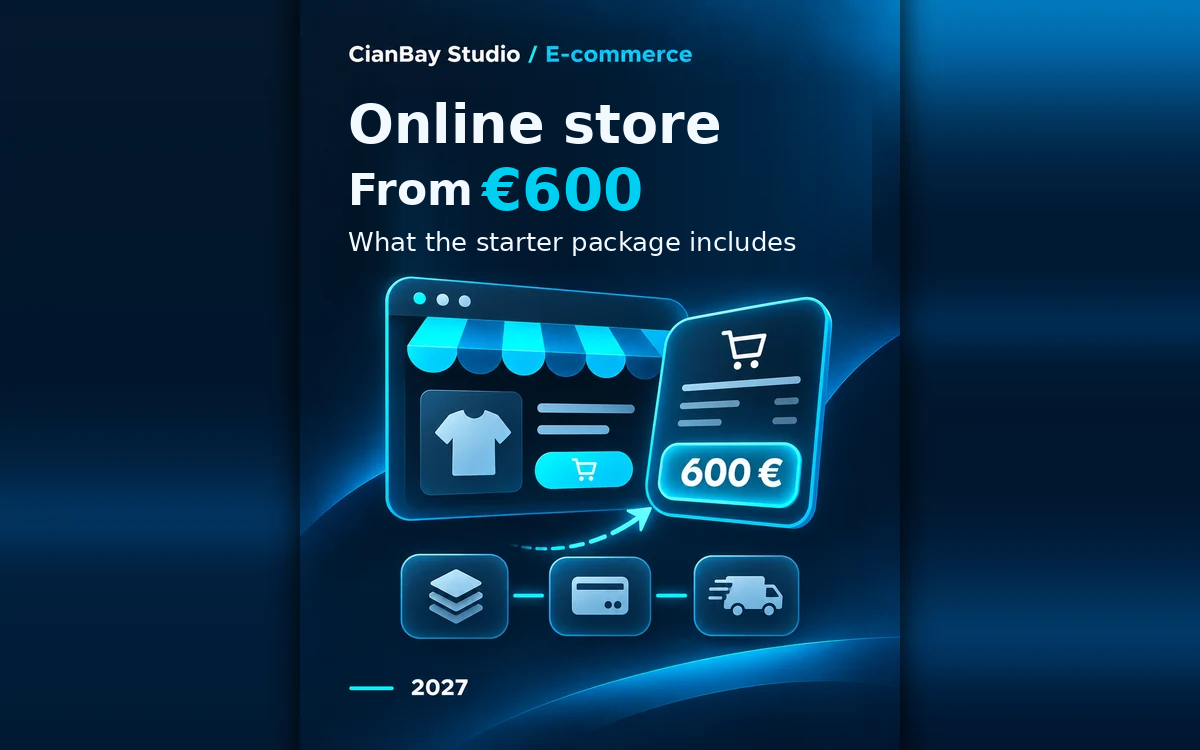
When you commission an online store for €600, what are you paying for? Not a temporary licence to use a website builder, and not a promise that every imaginable ecommerce feature is included. You are paying for the work needed to turn a platform into a functioning sales channel for your business. At CianBay Studio, WordPress and WooCommerce store development starts at €600, with the final scope agreed before work begins.
This guide explains the starter package from a merchant's perspective: what customers can do, what the owner can manage, how to verify the finished store and when extra investment makes commercial sense. Whether you sell in the UK, the EU or another international market, the important question is whether the website can handle the purchasing process you actually need.
What the starting price includes
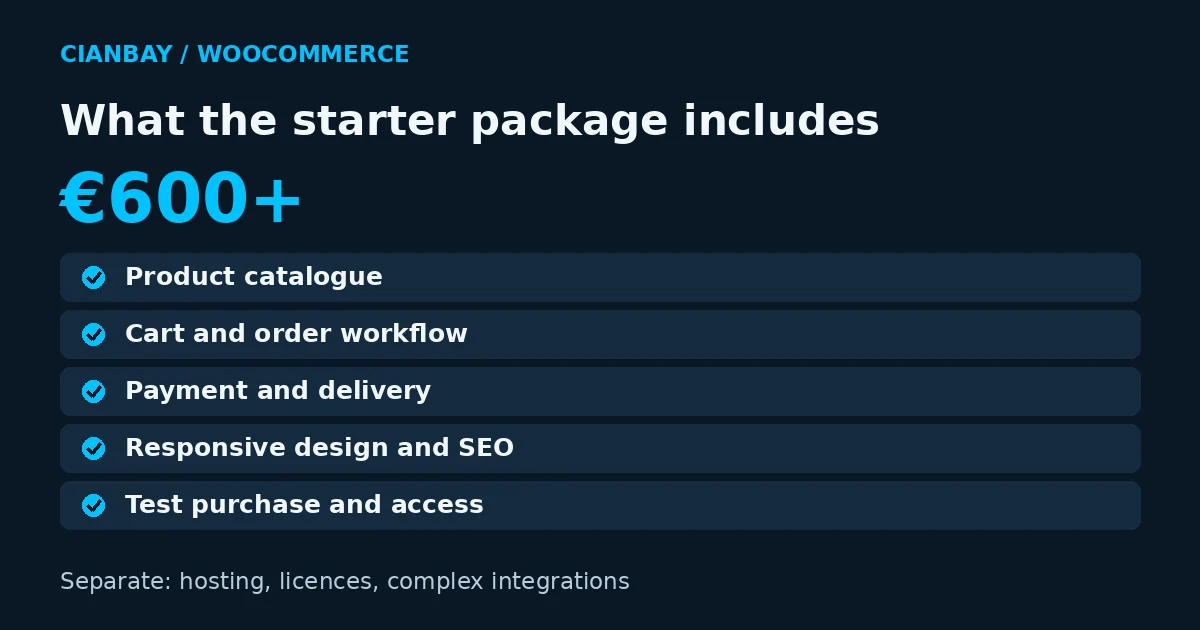
The CianBay WooCommerce development service is intended to give a small business a working ecommerce foundation. It includes the setup of WordPress and WooCommerce, the basic category structure, product page templates, agreed product attributes and variations, cart and checkout, order statuses and email notifications, agreed available payment and delivery methods, responsive layouts, basic technical SEO and a test purchase. The merchant receives administrator access.
The starting price is not a universal fixed quote for all stores. A range of twenty straightforward accessories with prepared photographs and descriptions is fundamentally different from a catalogue containing hundreds of configurable products, multiple warehouses and contractual trade prices. The initial product count, content responsibilities and precise integration requirements need to be agreed with the developer.
Using an established platform and reusable templates avoids paying for the reinvention of standard ecommerce functions. The money can instead go towards configuring the actual business process. For a complete breakdown of the studio's commercial offer and additional work, see the CianBay pricing page.
A product catalogue you can manage yourself
A functioning WooCommerce catalogue gives products their own records, including titles, images, descriptions, prices and categories. A clothing business might organise items by collection and use agreed size and colour variations. A maker of candles might categorise products by fragrance and occasion. A small electronics accessories seller might structure the catalogue around device types. When a price changes, the owner updates the product record rather than commissioning a fresh page layout.
Product data is part of the project scope. Clear spreadsheets, prepared images and stable stock keeping units make the initial setup much easier. Supplier files containing inconsistent currencies, duplicate products, missing pictures and incompatible attribute names require additional data preparation. Cleaning those files or creating a continuous supplier feed is a different job from implementing a storefront.
The starter package uses product templates rather than building a separate layout for every item. A sensible category system should reflect the questions shoppers ask. An advanced vehicle compatibility search, a custom technical specification table or complex filters across tens of thousands of SKUs require a more detailed assessment. Those requirements should not be hidden in the vague phrase 'a product catalogue'.
A responsive storefront, not just a demonstration theme
The storefront should reflect the agreed brand colours, typography, images and navigation, with a coherent appearance across product pages and categories. Reusing a reliable theme and common components can keep the budget focused on important customer interactions. Any premium theme or commercial licence required by the chosen implementation must be identified separately.
On a phone, visitors need to recognise the product, see the price, choose any relevant option and reach the cart without zooming or hunting through menus. Desktop shoppers may want to compare several products side by side or move between categories efficiently. Responsive development takes these different contexts into account rather than treating the phone layout as an afterthought.
Assess the proposed design using genuine products. A catalogue can look impressive in a demonstration with uniformly sized images and short product names, yet become difficult to browse when real photographs have different proportions and titles occupy several lines. Testing the shared template against representative products gives a more reliable picture of the launch-ready store.
Cart, checkout and the order management workflow
The buyer can add products to the basket, review the quantity and total, enter the information needed for fulfilment, choose an available payment and shipping option and place an order. WooCommerce creates an order record in the administration area, so the merchant can identify what was ordered, how much is due and what stage the order has reached.
A useful order workflow distinguishes an unpaid order from one ready to process, and a completed order from a cancellation. Confirmation emails should reflect the actual order event. Payment status must not be treated as successful merely because a shopper clicked a payment button. Email reliability also depends on the domain and mail infrastructure; a dedicated transactional email service may be an additional cost.
A starter checkout should request the information the business actually needs. Asking a consumer to provide an unnecessary company registration number or create an account before buying may add friction. Conversely, a wholesale business may need tax identification, purchase order references or custom invoice workflows. Agree these requirements early, because they determine whether a standard checkout will be sufficient.
Payment and shipping options for international merchants
Payment availability depends on the merchant's country, business registration and provider approval. Stripe, PayPal, WooPayments and local gateways may be appropriate options where supported. The merchant must have the necessary provider account and satisfy its onboarding requirements; the developer configures the agreed integration. The payment processor's transaction fees are not included in the development fee.
For a domestic UK store, delivery may involve Royal Mail, DPD, Evri or local collection. Within the US, USPS, UPS and FedEx are common examples. An EU merchant may use a regional courier or parcel locker network. These names illustrate the choices rather than promise that all carriers are included. A basic flat-rate delivery method and a fully automated label and tracking integration involve different implementation work.
Shipping zones, destination restrictions, duties, taxes and returns become particularly important when a business sells across borders. A single domestic delivery area is much simpler than international shipping with country-specific VAT or sales tax treatment, multiple currencies and fulfilment locations. Agree the supported market first; legal and tax rules need to be confirmed by the merchant and its professional advisers.
A technical SEO foundation that can grow with the business
The starter store includes basic technical SEO for categories and product pages. Logical URLs and category relationships, accessible content, meaningful page metadata and a crawlable store structure make the website easier for search engines to understand. WordPress also allows the business to publish articles, create landing pages and build relevant internal links as its marketing strategy develops.
This is not a guarantee of a particular Google ranking or sales volume. Keyword research for hundreds of products, original category copy, backlink acquisition, Merchant Center feeds, advertising campaigns and ongoing analytics require additional work. A technically prepared store provides the basis for these activities, not a replacement for them.
In particular, avoid creating hundreds of nearly identical pages simply because products have many filter combinations. A new merchant should prioritise the categories that represent meaningful customer demand and expand the information architecture when evidence supports it. Google's ecommerce documentation provides further guidance on helping search systems discover and interpret product pages.
Which expenses are separate from the €600 development fee?
WooCommerce is open-source software with a free core. That does not mean running a commercial store is free. Domain registration, hosting, optional commercial extensions, payment processing, email services and ongoing maintenance are costs to consider. Official WooCommerce pricing information distinguishes the core platform from hosting, paid extensions and processing charges. Providers set their own prices, so estimate the expenses for the actual configuration.
A more complex project may require bulk product imports, continuous stock synchronisation, CRM or ERP integration, wholesale pricing, a multilingual catalogue, custom calculation rules or advanced checkout logic. These functions affect data quality, business processes and testing effort. They should be scoped before the quote is accepted rather than added without considering their consequences.
For a real example of a larger implementation, the CaseComponents WooCommerce store has approximately 650 product listings and cost €1,500 to develop. It is not a €600 starter-store example. Its scale helps explain why a larger catalogue and more demanding implementation can require a different budget. CianBay also offers an ecommerce automation package with CRM and basic SEO starting at €1,200, subject to the agreed scope.
Published market offers are useful context, not a like-for-like benchmark. A Polish independent web market report published an updated analysis of store implementation prices in November 2026. The results demonstrate that platform and project scope substantially affect the quote. A low starting price does not automatically mean lower quality, but comparing prices without checking the work included can lead to the wrong decision.
How to accept the finished store
Before settling the agreed final payment, walk through a representative purchase on both desktop and mobile. Check a product variant, a quantity change, the basket total, shipping availability, the chosen payment route, order confirmation and the corresponding administrator record. Where the payment gateway supports a test environment, include successful and failed payment scenarios.
Verify that you can edit a product, update a price, find an order and identify its status. The agreed functionality should work without requiring the original developer to intervene every time an order arrives. The business should also receive the agreed administrator access and understand which external accounts and licences are under its own control.
Ownership gives you the freedom to change hosting or commission another developer, subject to applicable third-party licensing terms and any specific agreement concerning bespoke modules. It does not remove the need to maintain the website. Decide who will monitor backups, plugin compatibility, security updates and the purchasing process after launch. These operational responsibilities become especially important before a busy sales period.
Is the starter package right for your business?
A local brand, independent retailer, small manufacturer or social media seller with a manageable product range may find the starter package sufficient for a first launch. The merchant can start with the products that are ready to sell, collect customer feedback and invest in additional automation when the volume of orders justifies it.
A business that needs multiple warehouses, a dealer portal, regional storefronts and a continuous supplier feed from day one should request a more comprehensive quote. Choosing a starter package while leaving out a mission-critical function is not necessarily a saving. If staff have to reconcile hundreds of orders manually, the operating cost can exceed the cost of the integration.
To discuss a project, send CianBay your product range, approximate product count, target countries, preferred payments and carriers, design references and any essential integrations. Contact us via WhatsApp or the website enquiry form. We agree the deliverables, price and timeline before development begins.
Frequently asked questions
Is €600 a subscription fee?
No. It is the starting price for development, not a recurring charge from CianBay for using the store. Hosting, licences, provider fees and optional maintenance are separate expenses.
Can I add products after launch?
Yes. WooCommerce administrator access allows you to manage the catalogue. Bulk imports and automatic supplier synchronisation require a separately agreed scope.
Does the starter package include CRM integration?
Not automatically. CRM, accounting connections and stock synchronisation are additional tasks that depend on the business process.
Can I sell in several countries?
Yes, but additional languages, currencies, regional taxes, payment eligibility and delivery rules need to be scoped. Start with the market your business can serve reliably.
Will I get sales as soon as the website is launched?
The development service delivers the agreed purchasing functionality. Sales depend on demand, pricing, traffic, marketing and fulfilment; no development package can guarantee them.
Sources
- CianBay pricing
- Official WooCommerce pricing
- Google ecommerce documentation
- Polish market pricing report