Dmytro CianBay · 21.11.2026 · 8 min read
How to integrate your website with a CRM in 2027 and stop losing leads
Connect WordPress or WooCommerce to a CRM, manage enquiries, automate follow-ups and estimate the real cost of integration for your business.
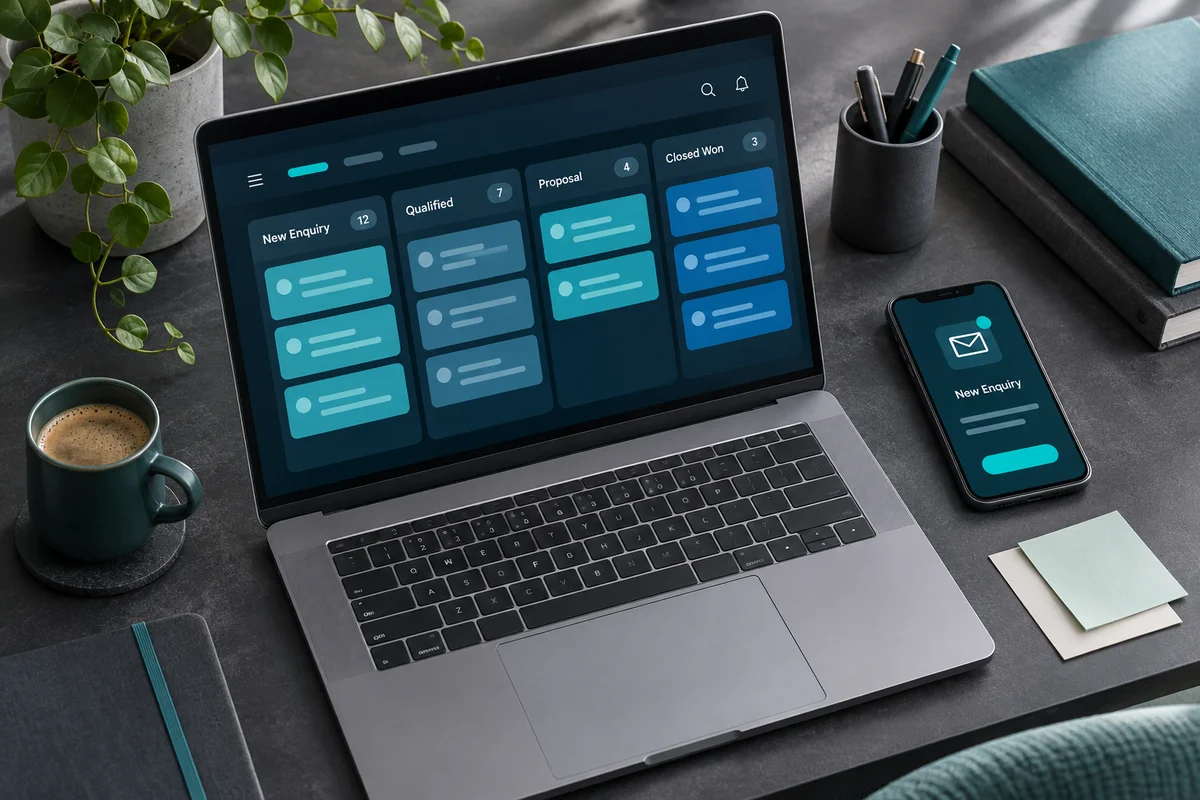
A potential customer submits a website enquiry, but the email lands in spam. Another sends a message that nobody answers. A third asks for a quotation and receives a reply after choosing a competitor. All three have already discovered the business. The problem is not necessarily traffic or advertising; it is what happens after the first contact.
Website CRM integration in 2027 can bring enquiries, customer history and sales outcomes into one working environment. The goal is to create a dependable business process, not simply to install another piece of software. This guide explains when integration is worthwhile, which approach to choose and what to budget.
What is a CRM and how is it different from email?
Customer relationship management (CRM) software helps a business keep contact records, sales opportunities, communication history, tasks and enquiry statuses together. Email delivers a message. A CRM helps answer different questions: who is responsible for the opportunity, what has happened so far, and what should happen next?
A CRM is not necessarily a replacement for accounting, inventory management, appointment booking or an enterprise resource planning (ERP) system. These tools can exchange information, but they have different purposes. A beauty salon may primarily need a booking system, a manufacturer may need to track quotations, and a retailer may need accurate stock management. Each requirement should be handled by the appropriate system.
When is a CRM worth introducing?
If a sole trader receives only a few enquiries per week and follows up reliably, an inbox and a well-maintained spreadsheet may be sufficient. A CRM becomes particularly valuable when:
- Enquiries arrive through multiple websites, forms and communication channels.
- Several team members deal with customers and need clear responsibilities.
- Sales require quotations, consultations and repeated follow-ups over days or weeks.
- The owner wants to connect marketing activity with completed sales rather than clicks.
- Nobody can easily identify enquiries that have not received a response.
The same logic applies when a small business expects to hire more staff. Instead of keeping the complete history of every customer on a salesperson's personal phone, the business can provide authorised staff with an organised record. However, a CRM will not solve a lack of ownership if nobody updates records or acts on reminders.
What should happen when someone submits an enquiry?
Imagine a customer requesting a renovation quotation. The website accepts and validates the form, records the enquiry and passes it to the CRM. The system matches or creates a contact, registers a separate opportunity, assigns a responsible employee and creates a follow-up task. The employee records the consultation, sends a proposal and updates the outcome.
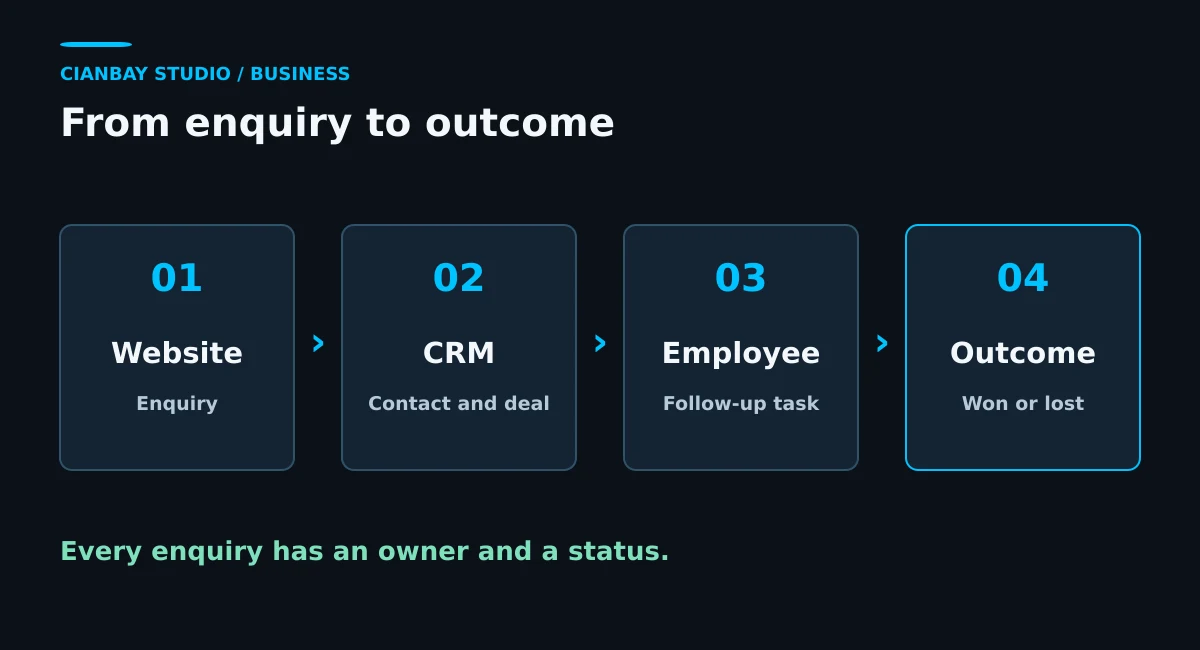
A single contact may have more than one sales opportunity. A returning customer requesting a different service is not necessarily a duplicate. The integration must distinguish a new genuine request from the same request being delivered twice. Unique enquiry identifiers and contact matching rules are therefore important.
With an organised pipeline, the owner can review response times, the number of unresolved enquiries and the reasons for lost deals. That gives the team evidence for improving the process. It does not automatically guarantee a higher conversion rate or more revenue.
Three ways to connect a website to a CRM
1. A native integration or a ready-made plugin
Many popular website platforms and CRM products offer integrations. For example, HubSpot documents how it works with external forms. Before relying on a module, confirm that it supports your particular form, software version, required fields and languages. Not every external form is automatically compatible.
A ready-made solution can be a reasonable choice when the requirement is to transfer a name, contact details and an enquiry message. It still needs configuration and testing with the actual website.
2. An automation platform
An intermediary service can connect tools that do not communicate directly. It may route enquiries by category, notify the relevant employee, add tasks and connect other cloud services. This approach is useful when a business already works across several platforms.
Consider the subscription cost and operation limits, how information is retained, how failures are reported, and whether configurations can be transferred or exported. The volume of billable operations may be higher than the number of customer enquiries because an individual workflow can involve multiple actions.
3. A dedicated integration for your business
Complex requirements such as multiple stores, custom fields, special quotation rules or two-way synchronisation may need a dedicated integration. It should use the supported capabilities of the systems involved and have clear rules regarding data ownership and conflict resolution.
Decide who will maintain the integration when the website or CRM changes. Documentation and access handover are part of a complete solution, even when the initial connection works perfectly.
Connecting WooCommerce to a CRM
An online shop needs more than contact form synchronisation. A CRM may receive order identifiers, customer information, totals, currencies and relevant status changes. WooCommerce supports webhooks, which allow it to send external systems notifications when specified events occur.
An order being created does not necessarily mean it has been paid. Pending payment, confirmed payment, cancellation and refund events must be represented correctly. A change to an existing order should update the record associated with its original identifier, rather than create another order.
Decide where staff will change order statuses, where inventory is managed and whether information needs to flow back from the CRM. If multiple tools update the same field, define which one is authoritative so old values do not overwrite current ones. Learn more about WooCommerce store development.
What information should be transferred?
A typical service enquiry needs the customer's relevant contact details, request category, message, date, source and unique identifier. An online store may also need specific order information. Do not send everything simply because it is available. Passwords, card details and unnecessary personal information should not be passed into the CRM.
Where the GDPR applies, identify the lawful basis and purpose of processing, retention periods, access controls and data removal procedures. The European Commission's guidance on GDPR principles covers purpose limitation and data minimisation. Submitting a service enquiry is not automatically permission to receive marketing emails.
The business should control its own integration accounts. Use appropriate permissions, protect authentication credentials and restrict access to logs containing customer information. Plan backups and recovery. If the CRM is temporarily unavailable, an accepted enquiry should not silently disappear: there should be a way to identify the failed transfer and attempt delivery again.
How much does a website CRM integration cost?
The budget depends on the number of enquiry sources, the complexity of business rules, CRM subscription fees, intermediary services and ongoing support. Check how the CRM charges for users, contacts and automation. Include data migration, training and optional modules where necessary.
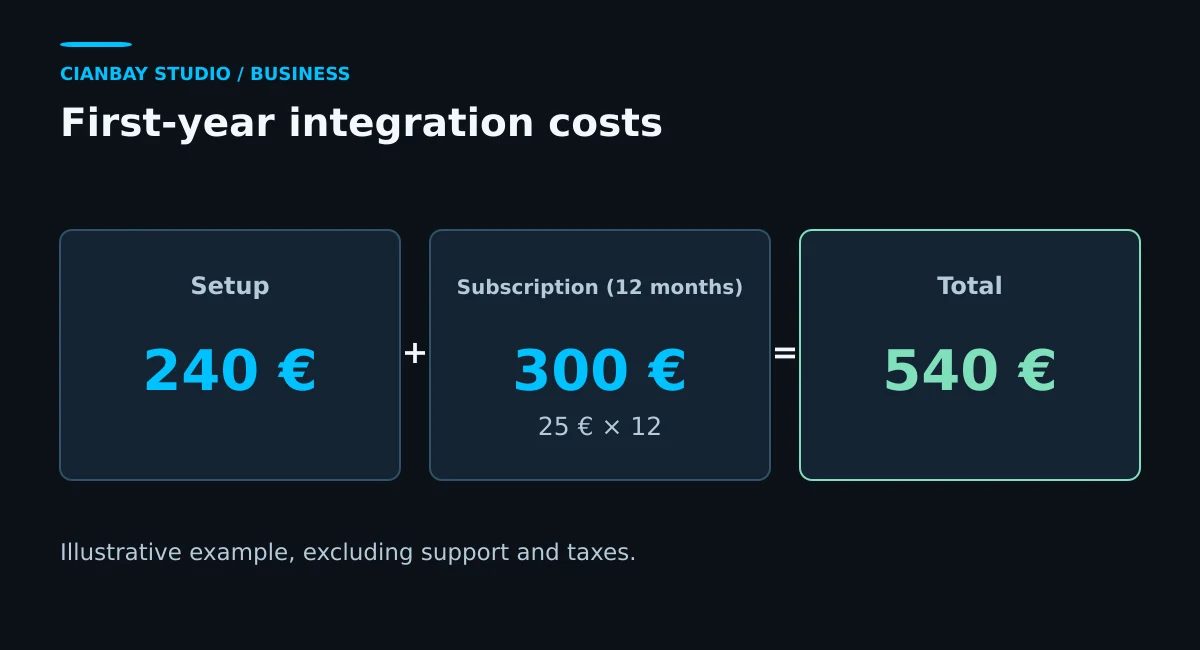
Consider an illustrative budget: a one-time integration cost of €240 and a subscription of €25 per month. The total first-year cost is €540 before any additional maintenance or taxes.
Suppose the business receives 40 enquiries each month and saves five minutes of manual work per enquiry. The monthly saving is 200 minutes, or three hours and twenty minutes. At an assumed labour cost of €15 an hour, the estimated value of that time is €50 per month.
This is not necessarily cash profit. Staff may instead use the time for customer consultations. Any additional revenue from recovering previously missed opportunities should be measured separately. Comparing the total first-year cost with time savings and actual sales outcomes gives a more useful picture than comparing software prices alone.
A practical acceptance checklist
- Every active form sends a test enquiry with the correct fields and language.
- Retransmitting the same enquiry does not generate an unnecessary deal.
- Each enquiry receives an owner, status and expected response time.
- A temporary connection failure can be detected, investigated and recovered.
- Online shop tests cover pending, paid, cancelled and refunded orders.
- The owner receives documentation, administrative access and recovery instructions.
Ask the people who handle customers to test the complete workflow before launch. Afterwards, reconcile the number of accepted website submissions with CRM records. Monitor response time, the proportion of enquiries handled and the percentage that become sales. Choose a small set of useful indicators that staff can review consistently. Our article on automating business operations through a website explores related opportunities.
Frequently asked questions
Do I need a new website to introduce a CRM?
Not necessarily. An existing website can often be integrated if it supports the required transfer method and can be modified safely. Start by reviewing forms, access rights and compatibility.
Can a multilingual website use the same CRM?
Yes. Recording the originating language and source can help route enquiries to the correct person. Each language version should be tested separately, even if the forms look identical.
Will a CRM replace a sales employee?
No. It can automate record creation, routing, reminders and reporting. Understanding customers, negotiating and making business decisions remain the responsibility of the team.
Is a paid subscription always necessary?
No. A free plan may cover the simplest workflow. Confirm availability of the required automation features, user allowances and usage limits before choosing a plan.
Our perspective
At CianBay Studio, we recommend defining the enquiry journey and staff responsibilities before choosing software. A business needs a process that can be monitored, not another attractive interface. We work with clients in Ukraine and internationally, developing websites, online stores and business automation integrations. A small, reliable first integration can be expanded as the company's actual requirements grow.
Sources and further reading
- HubSpot: use non-HubSpot forms
- WooCommerce: webhooks documentation
- European Commission: principles of the GDPR