Dmytro CianBay · 24.11.2026 · 10 min read
How to Turn Your Website Into a Sales Engine in 2027: From Launch to Growth
Learn how to connect website strategy, WordPress, WooCommerce, SEO, CRM and analytics into a clear sales process. Practical business insights from CianBay.

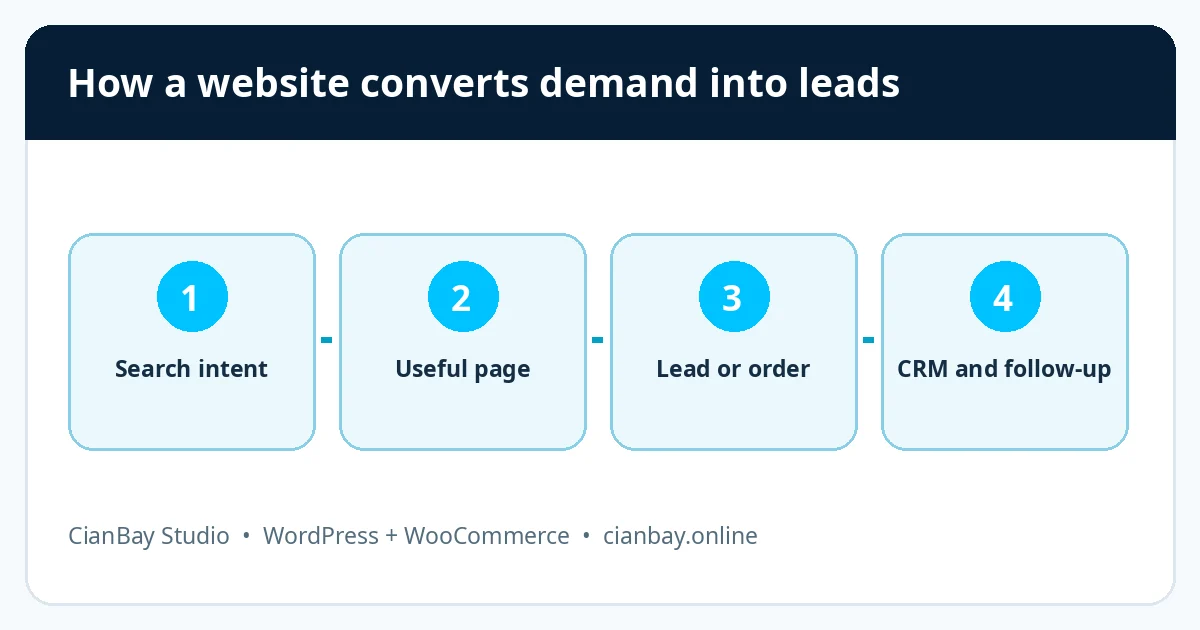
A business can own a beautiful website, spend money on advertising and still lose leads in scattered inboxes. Another company may have a quieter-looking website that consistently turns relevant enquiries into conversations and orders. The difference is rarely the number of animations or the theme's price. It is whether the website supports a coherent journey from customer need to a completed business action.
Calling a website a sales engine does not mean it generates demand or revenue by itself. It means that search visibility, useful pages, forms, checkout, customer records and measurement are designed to work together. This guide looks at decisions business owners should make before launch, how WordPress and WooCommerce fit into the picture, and what becomes important once the website is live.
1. Define what a valuable customer action actually is
Before choosing a platform, identify whom you want to reach, which problem they are trying to solve and what success looks like. A law firm's website may need to generate qualified consultation requests. A furniture manufacturer may need specification enquiries. An online store needs orders and payments. A hotel may value confirmed direct bookings rather than a high count of room-page views.
Different sales models require different experiences. A complex service is rarely sold through an instant checkout button without discussion, while a standard item should not require a phone call merely to learn its price. Trying to turn every visitor into the same type of conversion creates unnecessary friction. Good planning makes these differences explicit before design work begins.
2. Choose the website model that matches the business
A focused landing page can be useful for one offer and one clear next step. A corporate website can explain services, industries, team experience and case studies. A product catalogue lets buyers compare options while the final quotation is prepared by a manager. A full ecommerce store supports pricing, cart, payment and delivery without manual correspondence.
A full store is not automatically better than a catalogue. Nor is a simple contact form sufficient for a company selling hundreds of standard products. The most useful question is what users need to know and do before they are comfortable committing. A site should also anticipate reasonable growth: new product families, languages, branch locations and integrations should not require rebuilding the whole structure.
3. A website is not a traffic source on its own
Publishing a website does not create customers. Traffic may come from search engines, local listings, partners, social media, paid campaigns or existing recommendations. Those visitors arrive with different levels of intent. Someone searching for a specific professional service expects a clear explanation, relevant experience and terms. Someone clicking a casual social post may only be exploring the idea.
That is why businesses need relevant landing pages, not merely an attractive homepage. Service pages, product categories, comparison information, location details and a clear call to action should answer the questions behind each visit. Multilingual companies must also adapt local expectations instead of publishing the same generic sales paragraph in four languages. Good navigation is a commercial decision as much as a design decision.
4. What WordPress and WooCommerce contribute
WordPress gives a business substantial control over content, site structure and future development. WooCommerce adds ecommerce capabilities for products, carts, orders and integrations with supported payment and delivery providers. This can also be extended with appointment booking, wholesale customer accounts, custom quotation flows or connections to a CRM. Hosting, maintenance and some extensions still have costs, and specific integrations depend on the provider's technical access and contractual rules.
The flexibility matters when a growing business needs more than a fixed set of pages. It also creates responsibility: the theme, extensions, security, backups and integrations must be maintained. WordPress is a strong option for many service businesses and merchants, but it is not automatically the only right technology. An experienced developer should assess complexity and available resources before recommending a platform.
5. Remove uncertainty between the first visit and the enquiry
View the site as someone encountering the brand for the first time. Can they quickly understand what the company sells, which market it serves and what the next step is? Is pricing transparent, or is the method for preparing a quotation explained? Are delivery and return terms accessible before checkout? Does the contact form work comfortably on a phone? What happens after the button is pressed?
For service businesses, a well-designed enquiry form and a direct contact option may be enough. An online store needs a more complete journey: search, accurate product details, availability, shipping and safe payment. More interactive features are not always better. Their value lies in helping people decide with less effort. Our separate article on buyer trust in online stores explains how apparently small gaps can stop a purchase.
6. Plan SEO while you plan the architecture
Search optimization is more than writing a focus keyphrase in Yoast. It involves meaningful URL structures, suitable page topics, internal links, readable content, sound technical performance and making important information accessible for crawling. If twenty different services are squeezed into one generic page, it may not adequately answer visitors looking for a specific solution.
Google advises creating helpful, reliable, people-first content. This translates into a straightforward business question: what does a potential customer need to understand before requesting a quote or completing an order? The answer may involve prices, examples, requirements, timelines or risks. Blogs and industry pages should guide visitors to the relevant service or product, not compete for the same vague keyword.
7. AI visibility starts with clear, verifiable answers
Customers increasingly use AI assistants to compare tools and explore services. A business can make its website more useful for that research by explaining who a solution suits, what it includes, what changes the price, what limitations apply and how the process works. Clear definitions, examples, relevant FAQs and credible sourcing are useful to readers and machines alike.
There is no special schema that guarantees recommendation in ChatGPT, Gemini or Google AI. Structured data, accessible content and sound site architecture can support interpretation, but they do not substitute for expertise or an offer that solves a real need. It is better to publish one accurate, specific answer than a page full of artificial GEO phrases.
8. What happens to an enquiry after the form is sent?
The submit button marks the start of an operational process, not the end. If an enquiry reaches the wrong employee, gets lost in email or is never followed up, marketing investment is wasted. A CRM can record the lead source, assigned owner, discussion history, pipeline stage and next action. In an online store, the wider workflow may also involve inventory, payments, shipping and customer notifications.
The expression “CRM integration” can mean very different things. Sending basic form data to a sales pipeline is not the same as two-way synchronization of orders, product stock and customer records. A reliable project specifies which fields move between systems, how duplicates are handled, what happens when an API is unavailable and who is responsible for personal data. Costs depend on these details, not on the number of logos on a sales proposal.
9. Automation should reduce work rather than spread errors
A well-designed workflow may acknowledge an order, notify a manager, create a CRM record and send approved shipping information to a logistics service. It can save repeated manual steps and improve the consistency of customer communication. Yet automation also accelerates mistakes when the underlying business rules are unclear.
Consider a cancelled order, a partial payment or an out-of-stock item. Who approves the exception? Which system is authoritative? When should a human intervene? Testing these situations before launch is more valuable than advertising dozens of automated messages. The goal is a dependable sales process, not an impressive diagram or a bot for its own sake.
10. Measure qualified outcomes, not just page views
A thousand highly relevant visitors can be more valuable than ten thousand people who never intended to buy. GA4 provides ecommerce events such as product views, add-to-cart actions, checkout starts and purchases. But analytics does not automatically show the whole profit picture: cost of goods, advertising, returns, payment fees and staff time may need separate data sources.
For professional services, the number of form submissions is not a complete measure either. A surge in low-budget enquiries may not increase signed contracts. Review lead quality, acquisition channels, response times and the value of actual business won. We explore the financial distinction further in why a store can have traffic but no profit.
11. A hypothetical sales funnel, without invented success claims
Imagine a service company receiving 3,000 website visits in one month. If 2% submit an enquiry, that creates 60 leads. Suppose 20 fit the target customer profile and five eventually become paying clients. Those numbers are only an illustrative scenario, not a case study or a forecast for CianBay customers.
The useful questions are operational. Which pages generated relevant leads? How many enquiries had no response? Did people abandon the form? Why were certain leads unsuitable? A coherent website and CRM make the answers easier to find. Changing one button may help, but increasing traffic without fixing the underlying process can simply increase the volume of missed opportunities.
12. Budget for ownership and development, not just launch
A website budget should reflect the depth of content, functionality, integrations, accessibility and testing. A small services website may need clear service pages, an enquiry flow and an SEO-ready structure. A store with payments, delivery, customer accounts and CRM requires more extensive implementation. Domain, hosting and optional paid third-party services should be accounted for separately and preferably owned by the client.
CianBay offers a WooCommerce + CRM + basic SEO + notifications package starting at €1,200, with the exact scope agreed for each project. This does not mean every possible integration is included, or that a complex first installation can be delivered in three days. Clear specifications and realistic milestones help both sides avoid endless unplanned revisions.
13. The first 90 days are the beginning of improvement
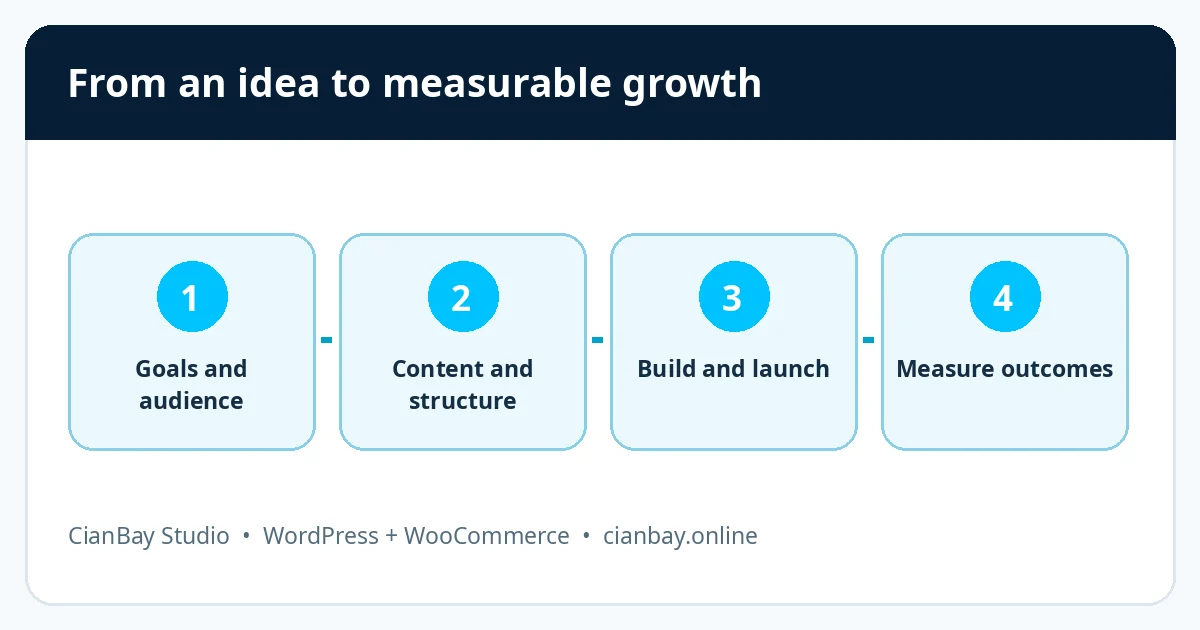
During the first month, confirm that forms, payments, notifications, shipping rules, search visibility and analytics work in practice. Pay attention to real questions from customers. During the second month, review the pages attracting traffic without the expected next action and refine the message or offer. During the third, test focused changes such as clearer packages, better qualification questions and more useful product information.
This is not a promise of profitability within ninety days. It is a way to replace random redesign cycles with observation and prioritized improvements. A website becomes a useful business asset when its owner understands what should happen, can measure what actually happens and can make informed changes without rebuilding everything.
14. How CianBay connects the pieces
Our starting point is the business model: target customers, desired actions and the systems the company already uses. We plan architecture, content, technical requirements, SEO foundations and the integrations that genuinely matter. We build with WordPress and WooCommerce when they fit the task, agree project stages and check real customer scenarios before handover.
We work with clients in Ukraine and internationally. If you need a services website, a catalogue or an online store connected to CRM and operations, we can discuss an appropriate scope without pushing features you do not need. Contact CianBay on Telegram, or browse our services and work.
Frequently asked questions
Does a new website guarantee new sales?
No. It can make the offer clearer, simplify enquiries and help the company understand results. Demand, pricing, competition, marketing and sales execution still matter.
Do I need a landing page, a catalogue or a full store?
Choose according to the buying decision. Consultative services need clear information and enquiries; standard products with published prices often benefit from a cart; complex B2B sales may need a quotation process.
Is CRM mandatory from day one?
No. A very small number of leads may be managed with simpler tools. CRM becomes more valuable as teams, channels, customer histories and follow-ups grow.
When should SEO work begin?
Before launch, during planning. URL structure, page topics, navigation and internal links are easier to design correctly than to rebuild after a site has been indexed.
Why consider WordPress and WooCommerce?
They offer strong control over content and flexible commerce capabilities. The final choice should still consider project complexity, maintenance capacity, integrations and total cost of ownership.
Sources
- Google Search Central: helpful, people-first content.
- Google: ecommerce SEO guidance.
- Official WooCommerce documentation.
- Google Analytics: ecommerce measurement.