Dmytro CianBay · 26.11.2026 · 11 min read
Migrating from PrestaShop to WooCommerce in 2027: costs, risks and business benefits
Migrate PrestaShop to WooCommerce: catalogue, customer accounts, redirects, checkout and costs. Plan a controlled store migration with CianBay.
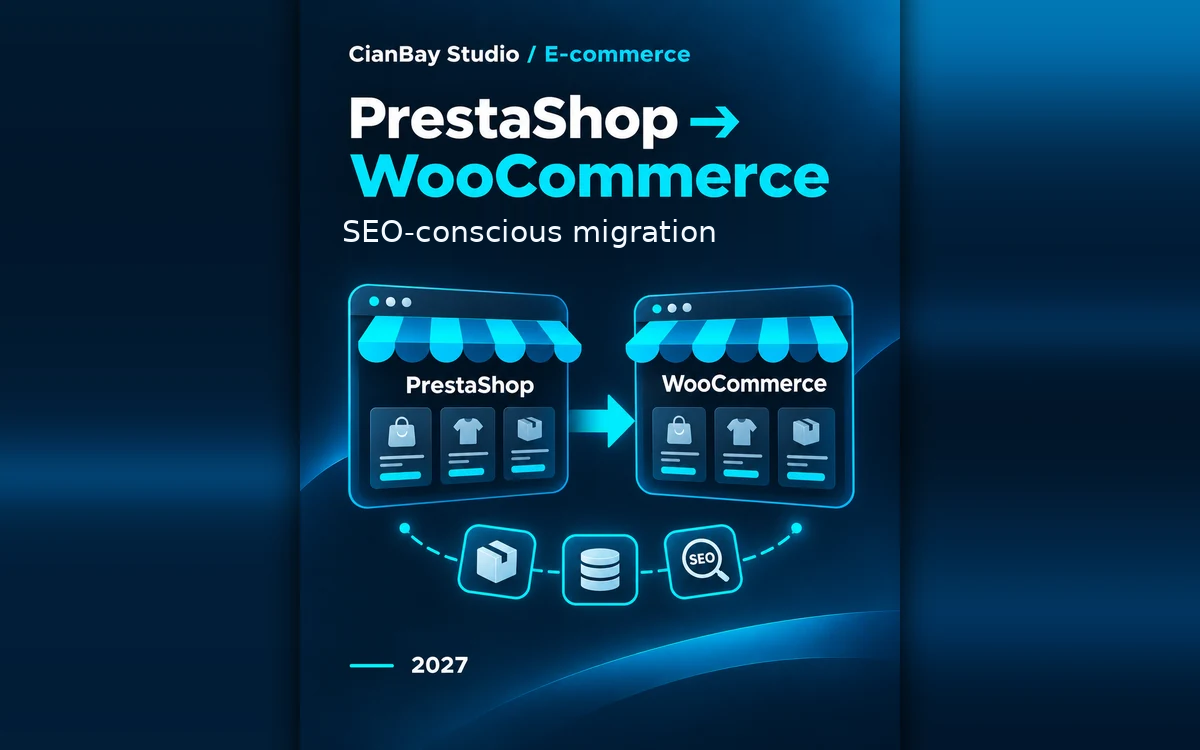
Moving an established online shop is a business decision, not a fashionable change of technology. A PrestaShop merchant may have thousands of products, repeat customers, active orders, valuable search rankings and years of operational knowledge. Those assets deserve protection. At the same time, a store that has become difficult to maintain can consume the budget that should be funding growth. If adding an editorial section, a new market, a payment provider or a CRM integration repeatedly requires expensive custom work, it is reasonable to assess an alternative.
WordPress and WooCommerce offer an adaptable environment for selling products, publishing content and connecting business systems. CianBay Studio builds WooCommerce stores from €600 and quotes migrations separately according to the actual scope. This guide explains what a migration can achieve, where the hidden costs are and how a merchant can commission a new store without treating its existing customer base or organic traffic as disposable.
When leaving PrestaShop makes business sense
PrestaShop is an established open-source ecommerce platform, and a healthy store does not need replacing merely because WooCommerce is popular. If your current team can maintain its modules, update the software and deliver new functionality on time, keeping the current platform may be the best financial decision. The stronger case for migration is a recurring business constraint: unreliable extensions, a shortage of suitable development support, difficulty combining editorial content with commerce, or excessive costs for introducing a new sales process.
WooCommerce is particularly attractive when a merchant wants its product catalogue, buying guides, brand content, landing pages and customer journeys to live within the same WordPress installation. Its ecosystem allows businesses to choose hosting and combine extensions with custom development. This flexibility also brings responsibility for selecting compatible components, maintaining the site and protecting customer information. Moving platforms does not automatically increase revenue; a better implementation of the business model can.
A useful starting point is to identify three things that the existing platform prevents the business from doing. They might be launching a wholesale price list, offering a more reliable checkout or publishing detailed content for organic acquisition. Estimate what solving those problems on PrestaShop would cost, and compare that with a WooCommerce build and migration of equivalent scope. That comparison is more informative than counting the number of plugins available in either ecosystem.
What data can move and what needs rebuilding
| Business asset | Migration treatment |
|---|---|
| Products, categories, SKUs, images | Import and validate field mapping |
| Combinations and attributes | Convert to WooCommerce variations |
| Customers, orders and reviews | Separate import or a controlled archive |
| Page addresses and metadata | Preserve where practical or map redirects |
| Theme, modules, integrations | Replace or rebuild compatible functionality |
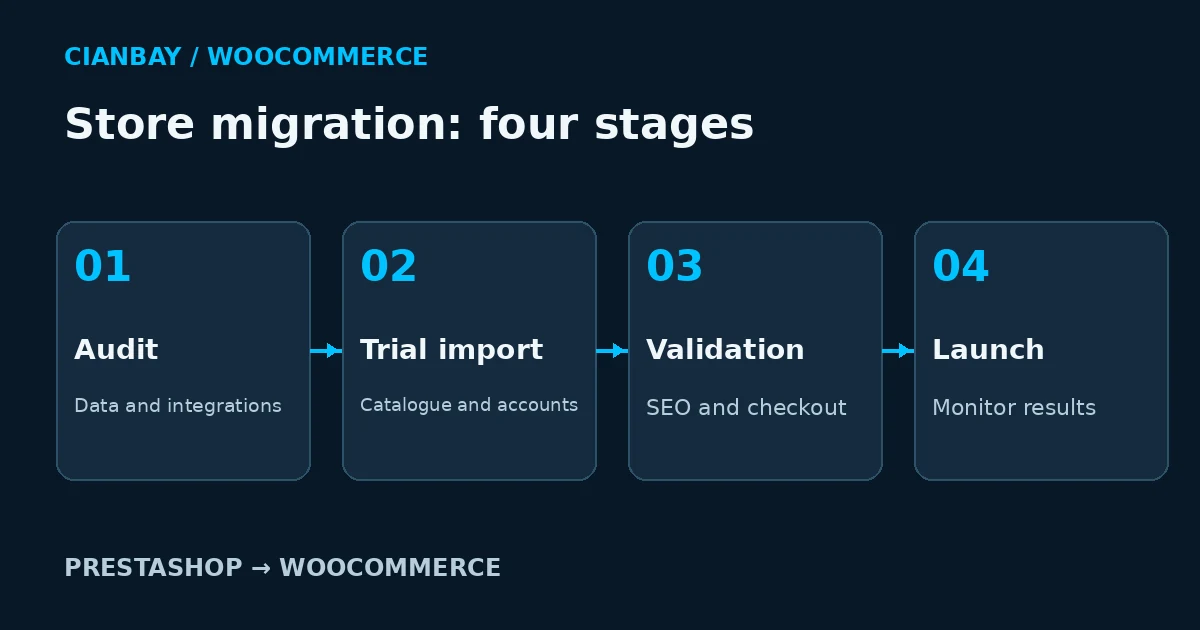
The WooCommerce marketplace includes extensions specifically designed to import data from PrestaShop. Depending on the tool and source configuration, these can support products, customers, orders, reviews and other records. WooCommerce also provides a native CSV product importer and exporter for its supported catalogue fields. Neither approach should be confused with copying a fully configured shop. A source module may store its information in custom tables or introduce rules that have no direct equivalent on the destination platform.
For a merchant, the important question is not whether a migration utility exists, but whether it supports the fields that actually matter. A product title is of little use without the corresponding price, stock quantity and variation relationship. A customer record without its relevant order history may not help a support team. An order total without the correct tax, shipping and refund context may not be suitable for day-to-day accounting. Agree the required data set and acceptance criteria before purchasing any migration extension.
The old theme cannot simply become a WordPress theme. Familiar navigation, branding and high-performing layouts can be reproduced, while weak areas of the buying journey can be improved. However, changing the platform, pricing, brand design and advertising strategy in the same week makes it difficult to understand any movement in conversion rate. Establish a baseline before deciding which changes should happen at launch and which can follow later.
Catalogue migration: the cost is not just the product count
A thousand simple products can require less work than a hundred configurable products. A clothing store may need distinct SKUs, photos and stock quantities for every size and colour combination. A parts supplier may need technical attributes and exact catalogue numbers to drive search. A furniture retailer may sell items with different shipping requirements or options that alter the price. These are commercial rules that need to work, not just columns that need to be copied.
Ask the migration team to inspect representative products before agreeing a fixed scope. A sample should cover ordinary products, variable products, unavailable items, sale prices and any special product type. Test whether existing images can be downloaded, whether category paths are meaningful and whether product identifiers match the stock system. Duplicate identifiers and inconsistent attribute names should be resolved before the final import, rather than hidden by a successful record count.
CianBay's CaseComponents project is an example of a WooCommerce store with approximately 650 catalogue items. The development cost was €1,500. It demonstrates experience with a structured catalogue; it is not presented as a PrestaShop migration or as an example of a €600 store. A quotation for your business should reflect your own data quality, commercial rules and required integrations.
Customer accounts, order history and sensitive information
Order history can support returns, warranties, customer service and reconciliation. Decide whether your staff need all historical orders in the new dashboard, only recent and open orders, or access to a separate archive. A business that retains historic invoices in an accounting system may have a different requirement from a direct-to-consumer brand whose support team uses the ecommerce dashboard for every enquiry. Keep mandatory business records accessible for the appropriate retention period.
Do not assume that customer passwords will work on the destination site. Password verification methods can differ between platforms and versions. A compatible migration mechanism must be assessed, or customers can be invited to set a new password through a secure process. Never request plain-text passwords. Saved payment details and subscription tokens may also depend on the payment provider and existing integration; even when keeping the same provider, portability requires confirmation.
Customer data deserves controlled access throughout the move. A migration team should agree how exports are transferred, who can access them, how test sites are protected, and when temporary copies and credentials are removed. A staging store must not send unexpected customer emails or trigger fulfilment requests. These safeguards are especially important for a busy business where production records may contain real addresses and payment-related references.
Protecting organic traffic and product visibility
A migration can create hundreds of broken links if old product or category URLs are simply abandoned. Google Search Central recommends mapping old URLs to their new destinations and using permanent server-side redirects where appropriate. A relevant replacement page is better than redirecting unrelated products to the homepage. Where a product has no suitable replacement, choose the correct response according to its actual status instead of manufacturing an irrelevant destination.
Before the change, collect the existing sitemap, important organic landing pages, externally linked URLs, metadata and language versions. Preserve product identifiers and page content where they are still useful. The new catalogue should have consistent canonical references, correct internal links and language relationships where applicable. A staging environment should not be indexed accidentally; after release, check that any temporary restrictions have been removed from the public store.
Google Merchant Center and paid campaigns deserve their own acceptance checks. New destination URLs, prices, availability and shipping information must match the live store. Preserve stable identifiers where possible and check the product feed for rejected items. Test purchase tracking and prevent duplicate events when changing analytics or advertising integrations. Losing measurement during a move can make the performance of the new store impossible to evaluate.
After launch, submit the updated sitemap, monitor Search Console and investigate missing pages. Search rankings can fluctuate while the new pages are crawled and evaluated; no developer can guarantee that every ranking will remain unchanged. A technical SEO workstream is a risk management measure, not a promise of instant traffic growth. If the domain itself remains the same, a domain change notification is not normally necessary.
Rebuilding payments, fulfilment and business integrations
A merchant trading in the United Kingdom, European Union or United States may already use Stripe, PayPal or a local payment gateway, together with a warehouse or shipping service. Check whether the required WooCommerce connector supports the existing merchant account, the target currency, refunds and the checkout methods customers expect. Test successful and failed payments, rather than assuming a displayed payment button proves the integration is complete.
Fulfilment requirements vary considerably. One business may only need shipping rates and tracking numbers; another may need carrier label creation, pickup points, multiple dispatch locations and inventory synchronisation. Confirm the availability and commercial terms of connectors for providers such as DHL, UPS, DPD or Royal Mail as applicable to the target market. International tax settings, VAT or sales tax and invoice handling must follow the merchant's actual obligations and professional advice, not a generic configuration copied from another shop.
Migration is also an opportunity to review how staff process orders. For a small shop, the standard WooCommerce order dashboard may be sufficient. A larger operation may need a CRM, customer service workflows, external stock management and order notifications. CianBay's WooCommerce store with CRM and automation from €1,200 provides a starting scope for a connected solution. Migrating existing records, rebuilding unusual modules and adding specialised integrations are assessed separately.
How much does a PrestaShop to WooCommerce migration cost?
CianBay's basic WooCommerce development service starts at €600. That price describes a new entry-level store, not an unconditional migration quote. The migration budget must account for data mapping, trial imports, design implementation, integration work, SEO redirects and launch testing. Hosting, domain renewals, paid extensions and service-provider charges are separate where required.
| Migration scenario | Typical scope drivers |
|---|---|
| Small catalogue | Standard products, simple checkout, little historic data |
| Established shop | Variations, customers, orders, redirects and integrations |
| Complex operation | Multiple markets, warehouses, wholesale pricing or custom modules |
Consider an illustrative business case: annual spending on maintaining the current system is €900, while a comparable new setup is expected to cost €500 annually. The difference is €400 per year. If the one-off migration expense were €1,200, simple payback would take three years. These numbers are hypothetical, not a migration quote or a verified saving. Include transition costs, possible downtime, staff training, taxes and any effect on revenue before deciding whether the investment is worthwhile.
Both PrestaShop and WooCommerce have open-source core software. Moving between them does not automatically remove running costs. Compare the real invoices for hosting, licences and development work with the forecast for the proposed store. A cheaper extension is not a saving if it creates a manual task that your team must repeat every day. Conversely, an expensive migration makes little sense if the existing shop already meets all business requirements.
Keeping the existing shop open during development
Build and test the new WooCommerce shop on a separate environment while PrestaShop continues receiving orders. A rehearsal import helps identify data issues and establishes the time needed for final synchronisation. Define how orders, stock movements and customer changes created after the first export will be handled. Without this step, a technically correct import may still leave the business with stale stock levels or unfulfilled orders.
Agree a short, realistic cutover window when order entry can be controlled if necessary. Test the complete journey from product selection to receipt, fulfilment and refund, including mobile checkout and the administrative process. Establish a rollback plan before changing live traffic. Rolling back after customers have placed new orders requires reconciliation of payments and inventory; it is not just a matter of switching DNS back. Avoid promises of zero downtime unless the synchronisation process has been validated.
Commissioning the migration with CianBay Studio
Start with the address of the existing store, the approximate number of products and variations, target markets, languages, essential modules and current payment and delivery providers. Describe what is not working well today and which sales processes must continue unchanged. Do not send administrator passwords in an initial enquiry. A suitable access method can be agreed after scoping the project.
Explore CianBay's WooCommerce development services, review our pricing or contact the studio. International enquiries can also reach us on WhatsApp. We work with clients in Ukraine and internationally. The goal is to build a store you can own and develop according to your business requirements, with a clearly agreed migration scope and a practical launch plan.
Frequently asked questions
Can I keep my existing domain?
Yes. The existing domain can point to the new store. Page-level URL changes must still be managed carefully.
Will my search rankings remain the same?
No supplier can guarantee unchanged rankings. URL mapping, permanent redirects, relevant content and monitoring reduce avoidable migration risks.
Can I migrate my entire shop for €600?
€600 is CianBay's starting price for basic WooCommerce development. A migration quote depends on the source data, functionality, integrations and testing requirements.
Can I retain the old design?
The PrestaShop theme cannot be installed directly in WordPress. Its useful layout and branding can be recreated using a compatible WordPress implementation.
Do I need a mandatory WooCommerce subscription?
The core platform does not require a monthly platform subscription. Hosting, domain registration, optional extensions, maintenance and service fees can still apply.
Sources
- PrestaShop migration documentation
- Product CSV importer
- Google site migration guidance
- Google redirects guidance
- WooCommerce migration guide
- CianBay pricing