Dmytro CianBay · 20.11.2026 · 11 min read
Online booking websites in 2027: appointment automation for clinics, salons and service businesses
Plan online appointment scheduling on WordPress with staff calendars, locations, reminders, deposits and business automation.
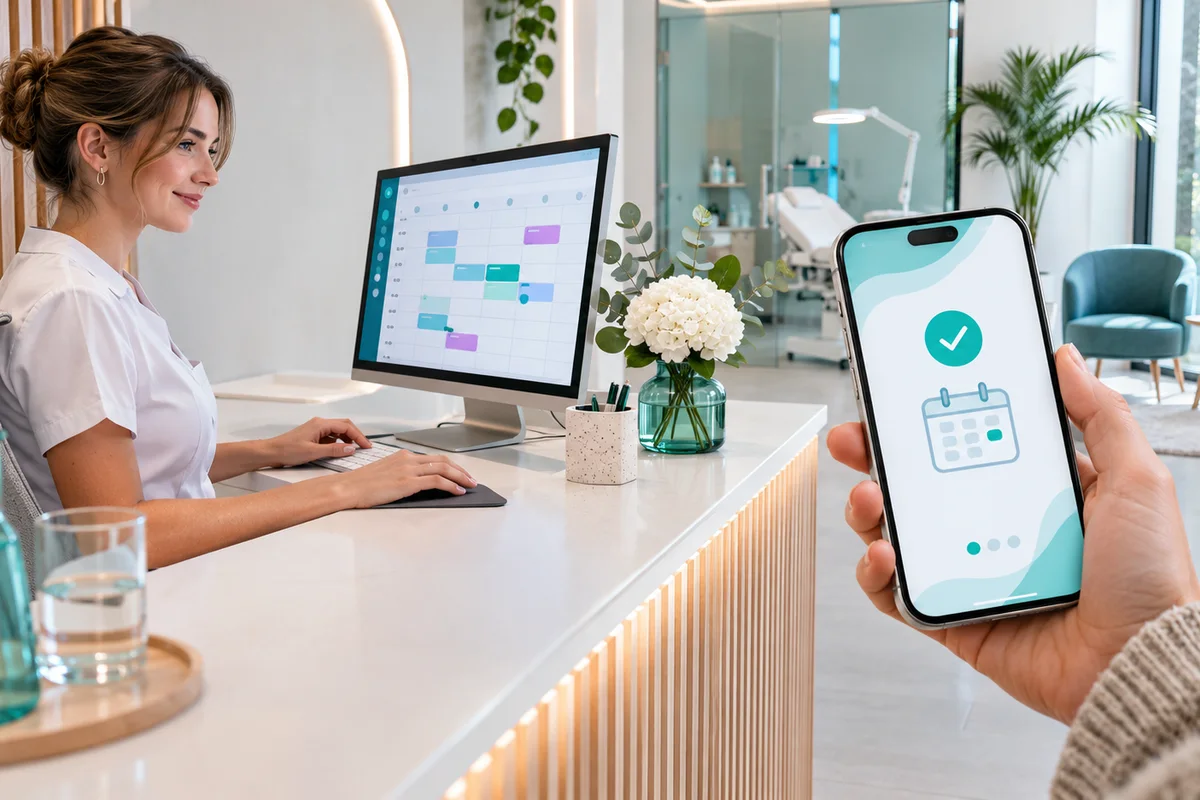
Imagine a salon owner answering customer messages at ten in the evening. One person wants an appointment tomorrow, another asks about the price of a treatment, and a third needs to reschedule. Reception has already closed for the day, but a prospective customer still has no way of knowing whether an appointment is available. Private clinics, massage studios, consultants and garages encounter similar situations.
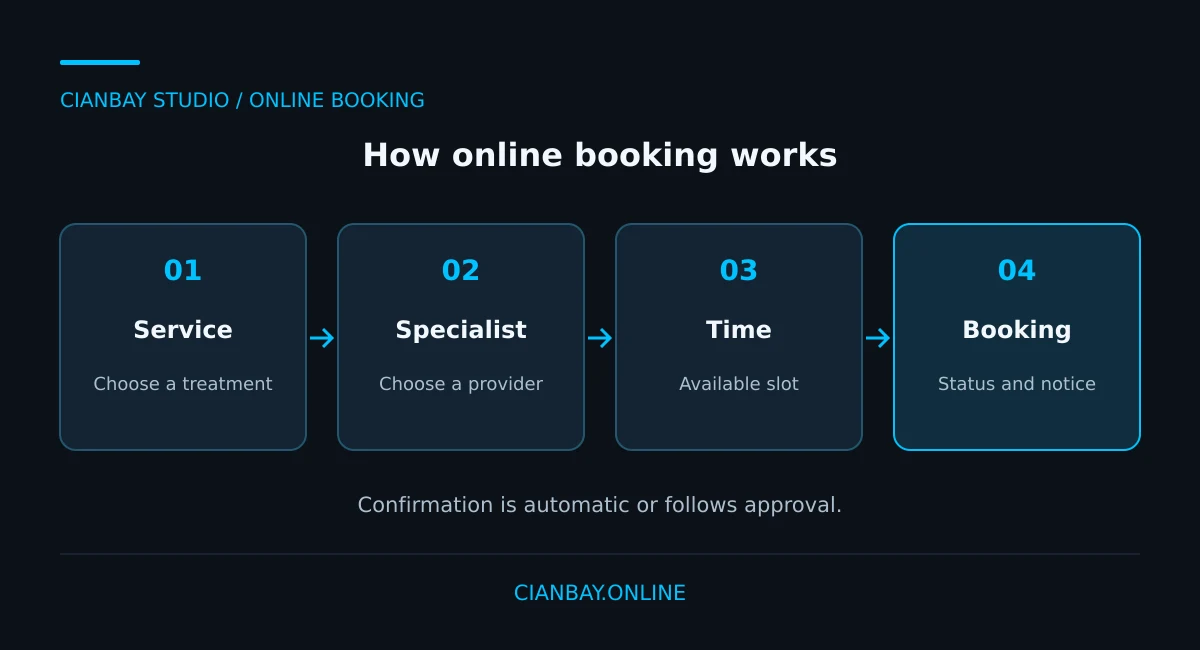
An online booking website enables a customer to select a service, a specialist, a location and an available time. Depending on the business rules, the system creates a confirmed reservation or a request awaiting approval, informs the responsible team member and sends the customer the relevant appointment details. It is more than a contact form: it is a tool for managing the capacity of a service business.
1. How online booking differs from an enquiry form
An enquiry form typically collects a name, contact details and a message. The receptionist must identify an available time, contact the customer and agree on the appointment. This approach is useful for complicated projects where the scope must be assessed in advance, but introduces an additional step for routine services.
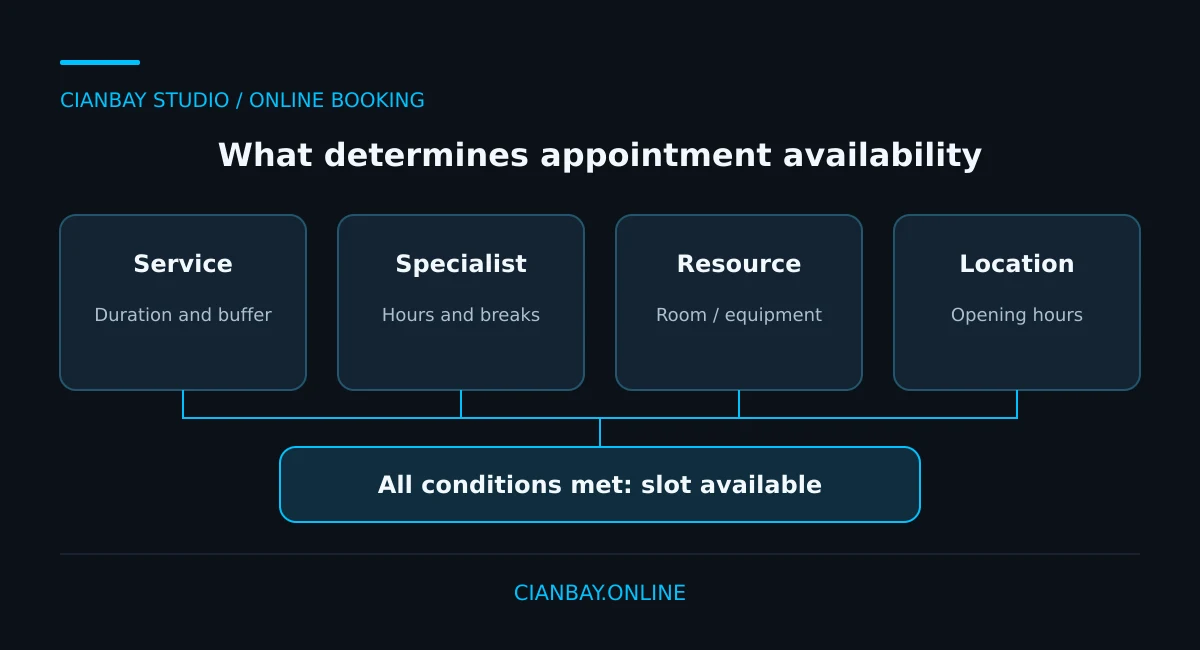
A booking system works with a schedule. It offers suitable times based on service duration, staff working hours, breaks and the availability of any required resources. Customers can see the options without making a phone call. When a business requires manual approval, the interface must make it clear that a request is not yet a confirmed appointment.
Opening hours are not the same as appointment availability. A salon may open from nine in the morning until seven in the evening, but a particular stylist may be fully booked until four. Some treatments also depend on equipment that can only be used by one specialist at a time. A useful calendar models these constraints instead of simply showing opening hours.
2. Which businesses benefit from appointment scheduling?
A beauty salon needs service categories, durations, pricing, staff profiles, photographs and an option to book a particular specialist. If customers have no preference, the system can offer any available member of staff qualified to perform the treatment. A customer who returns regularly should be able to choose the same specialist easily.
A private clinic needs clear medical departments, practitioner profiles, practice locations and rules for initial and follow-up appointments. Some bookings may require receptionist approval. A public-facing medical centre website should not be treated as a replacement for a medical record system simply because it includes a WordPress form.
Massage studios, independent consultants, therapists and tutors may offer individual sessions, packages and either in-person or remote appointments. Garages have different constraints: the work type, vehicle, technician, workshop bay and estimated duration. When repair times are unpredictable, booking an inspection may be more appropriate than promising to finish work within a fixed slot.
Group lessons require a capacity limit rather than just a single occupied or free slot. Equipment rental, photography studios and meeting rooms require availability checks against the resource itself. A suitable scheduling solution reflects the specific business model rather than the appearance of a plugin's promotional screenshots.
3. Services, working hours, locations and resources
Start by documenting the actual process. Define the duration, price or pricing method, qualified employees and available locations for each service. Add preparation or cleaning time between appointments when it is needed. Remember that the duration visible to the customer does not have to equal the full time blocked in the operational calendar.
For example, a massage session lasts sixty minutes and the studio needs fifteen minutes to prepare for the next customer. A schedule that accepts a booking every hour will leave staff with insufficient time to reset the room. The resource must actually be reserved for seventy-five minutes, even though the customer is purchasing a sixty-minute treatment.
At a business with multiple locations, a specialist may work at different branches on different days. The configuration needs to account for both branch hours and individual schedules, holidays, exceptions and travel time. If bookings also arrive over the phone, the receptionist must record them in the same availability system rather than maintaining a disconnected diary.
4. Approval, payments and cancellations
A business may use automatic confirmation, manual approval or a combination of the two. A standard haircut might be confirmed immediately, while a complex consultation or an initial appointment with a specialist may need an additional conversation. Booking status must be unambiguous for both the customer and the team.
Deposits can be useful for high-value treatments, long sessions or rentals. Businesses may choose full payment, a defined deposit or payment on arrival. The appropriate approach depends on the country, the payment provider, the business model and the integration options. Display cancellation, rescheduling and refund conditions before the booking is completed.
Test cases where customers start but do not finish payment, a transaction is delayed, or the payment provider sends the same notification twice. Returning to the booking website after a bank payment is not sufficient proof that a transaction succeeded. The booking and payment records must be reconciled with verified payment information. Decide when an unpaid temporary hold expires so one abandoned attempt does not indefinitely block capacity.
5. Reminders and customer communication
After booking, a customer should receive the date, time, address, service name, contact details and instructions for changing the appointment. A reminder can be sent before the visit by email, SMS or another agreed channel. Certain channels require additional integrations, accounts or per-message charges. Select the channel based on the customers and the cost of operation.
Rather than manually checking tomorrow's appointment list every afternoon, staff can monitor delivery status and deal with exceptions. Rescheduling and cancellation messages need to reach the customer and the responsible employee. On a multilingual site, also check that confirmations and reminders use the appropriate language for the customer.
Scheduled reminders rely on a reliable task scheduler, configured email delivery and a way to identify failures. Installing a plugin alone does not guarantee that every message reaches its destination. Avoid unnecessary sensitive details in notifications, especially where an email inbox or smartphone might be shared with other people.
6. Protecting data and managing permissions
For ordinary service reservations, a name, a contact method and the selected appointment may be enough. Requesting a home address, date of birth or identity document without a genuine need increases the consequences of a security incident. In healthcare, even the type of consultation may reveal sensitive information.
Clinics should establish which information the public website stores, who can access it, how long it is retained and which external providers receive it. A general-purpose appointment calendar is not automatically suitable for storing clinical records. The architecture and applicable obligations should be assessed with an appropriate security or data protection specialist.
The reception team may need the shared schedule while a practitioner needs only their own appointments. Owners need appropriate reporting, and technical staff should receive limited access for their responsibilities. Use encrypted transport, separate user accounts, backups, timely updates and permissions appropriate to each role.
For analytics, record the fact that a booking was completed without sending names, phone numbers, medical conditions or other private details. Review the information exposed to external calendar providers, CRM software, payment processors and email services. Avoid placing personal information in tracking URLs or advertising events.
7. Building an appointment website with WordPress
WordPress allows businesses to operate a website with service pages and a specialised scheduling module. Amelia, for example, provides functions for managing services, staff, locations, appointments and notifications. WooCommerce Bookings can be relevant to products, rentals or resource-based reservations. Check the capabilities of the particular extension and licence before committing to it.
An independent consultant may only need one calendar and a straightforward booking form. A clinic network may need multiple schedules, role-based access, reporting, integration rules and a connection to an existing healthcare information system. A ready-made extension can reduce development time in the first case, while the second may require an integration through an available API.
A self-hosted website does not require a mandatory subscription to a website-building platform. However, hosting, extension licences, payment processing, SMS delivery and technical maintenance may carry recurring costs. Include these expenses when comparing a self-hosted solution with a hosted appointment service. The business owner should retain control of the domain and relevant accounts.
If the company already uses a specialised scheduling system, there is no automatic need to replace it. An official booking widget or API may enable an integration into the website. Identify which system is the authoritative source of availability first. Two independent calendars accepting reservations for the same period can create conflicts. When reliable synchronisation is impossible, it may be better to request an appointment for manual approval instead of automatically confirming unchecked availability.
Plan for operational failures as well. Provide an alternative contact method if the calendar does not load. Receptionists should be able to review saved requests and continue working after the system recovers. Establish who manages the accounts, updates and restoration of connected services.
8. Local search, SEO and the mobile booking experience
Customers often search for a service in a city or neighbourhood rather than a particular salon by name. A website should therefore include dedicated pages for its main services with descriptions, prices or pricing principles, location details, specialist qualifications and a clear booking action. A company with genuine physical branches can publish useful location pages with accurate contact information.
A Google Business Profile can include a booking link where that option is available. LocalBusiness structured data can also communicate business details to search engines, although it does not guarantee a rich search result. For generative engine optimisation, focus on clear, consistent and verifiable information and answers to genuine customer questions rather than repeating keywords mechanically.
On mobile, the booking journey should remain short and understandable. Test calendar readability, touch target sizes, keyboard interactions, error messages and navigation back to previous steps. Do not force customers to create a password when no account is genuinely needed. A usable contact method for reaching reception should remain available even after scheduling is automated.
9. Measuring the business value
Consider a hypothetical small studio receiving twenty appointment enquiries per day. The receptionist spends an average of six minutes dealing with each enquiry, a total of two hours. If customers complete twelve routine bookings independently, and each requires only one minute of verification instead of six, the saving is sixty minutes per day or twenty hours across twenty working days.
This is an illustrative calculation, not a prediction. Some customers will still need advice, others will reschedule, and the business will spend time maintaining the system. Measure completed bookings, the share of self-service appointments, manual administration time, cancellations, missed visits and utilisation of staff and facilities.
It is also useful to measure how many people start a booking without confirming it. If customers consistently abandon the calendar at the same step, the problem could be limited availability, an unclear price or unnecessary fields. Investigate that stage before increasing advertising expenditure. Compare similar periods and remember that holidays and seasonality can affect demand.
10. What to test before launching
Prepare a list of services, schedules, resources, locations, payment terms, cancellation policies and communication channels. Assign responsibility for keeping availability up to date. If an external calendar is connected, verify the direction of synchronisation, time zones, frequency of updates and what happens when the external service is unavailable.
Make test bookings on mobile and desktop. Check two simultaneous attempts to reserve the same appointment, employee holidays, cancellation, rescheduling, interrupted payments and duplicate notifications. For an international or multi-branch business, test each language, location and customer communication template separately.
Launch in stages if helpful: start with one service category or a small group of specialists, then add services and integrations after confirming the process works. Train the receptionist to add a telephone booking, block unavailable time and correct mistakes. Document settings so the business calendar does not rely on a single employee.
Test unusual scenarios, such as a customer booking two consecutive treatments. The second service might require another specialist, another room or a longer break. Not every scheduling system can find these combinations automatically. If this is common in your business, include it in the specification before selecting an extension. Otherwise staff may have to solve the issue manually after launch. Likewise, agree on booking rules for children, groups and returning customers wherever different procedures apply.
Frequently asked questions
Can customers book online and by phone?
Yes. Phone bookings should be entered into the shared availability system, and the online service should verify availability before confirming another reservation.
Can customers pay a deposit online?
Yes, where supported by the booking system and payment provider. Define payment, cancellation and refund rules before launch.
Do we need a monthly subscription to an external booking platform?
No. Booking functionality can run on a self-hosted WordPress website, but hosting, extensions, communications and maintenance may still involve recurring costs.
What to consider when launching online booking
A good booking website reflects the day-to-day operation of the business: service duration, staff schedules, resource availability, confirmation rules, payments and data protection. At CianBay Studio, we develop online booking integrations and beauty salon websites for businesses in Ukraine and internationally. Read more about the broader approach in our guide to business automation through a website.
Sources and further reading
- Amelia: services
- Amelia: appointment bookings
- Amelia: notifications
- WooCommerce Bookings: availability
- Google Search Central: LocalBusiness
- EUR-Lex: GDPR