Dmytro CianBay · 23.11.2026 · 6 min read
Figma to WordPress in 2027: Elementor, Divi, Gutenberg or a Custom Theme?
Turn a Figma design into a WordPress site: compare Elementor, Divi, Gutenberg and custom themes, prepare assets, responsive layouts, SEO and handoff.

A Figma link is not a finished WordPress website. It shows the intended appearance, components and interactions, but the live site still needs templates, content management, responsive rules, navigation, forms and sometimes ecommerce integrations. Converting a Figma design into WordPress is therefore an implementation project, not simply a file export.
The important question is not which builder can imitate one screenshot most quickly. It is which approach delivers a maintainable website that the business can edit, that works on phones, and that remains technically sound after launch. Here is how Elementor, Divi 5, the Gutenberg block editor and custom themes compare.
What a development-ready Figma handoff includes
Ask for desktop and mobile frames, a component library, font information, design tokens, usable image exports and clearly defined button, form and menu states. The designer should explain what happens on hover, validation, errors and loading, rather than leaving those behaviours to guesswork. Check that image and font licensing covers website use.
Figma Dev Mode gives developers access to properties, spacing, assets, component details and code snippets. Access to some inspection tools depends on the Figma plan and permissions. These are implementation references, not a complete PHP theme, content model or production-ready application.
Four ways to turn the design into WordPress
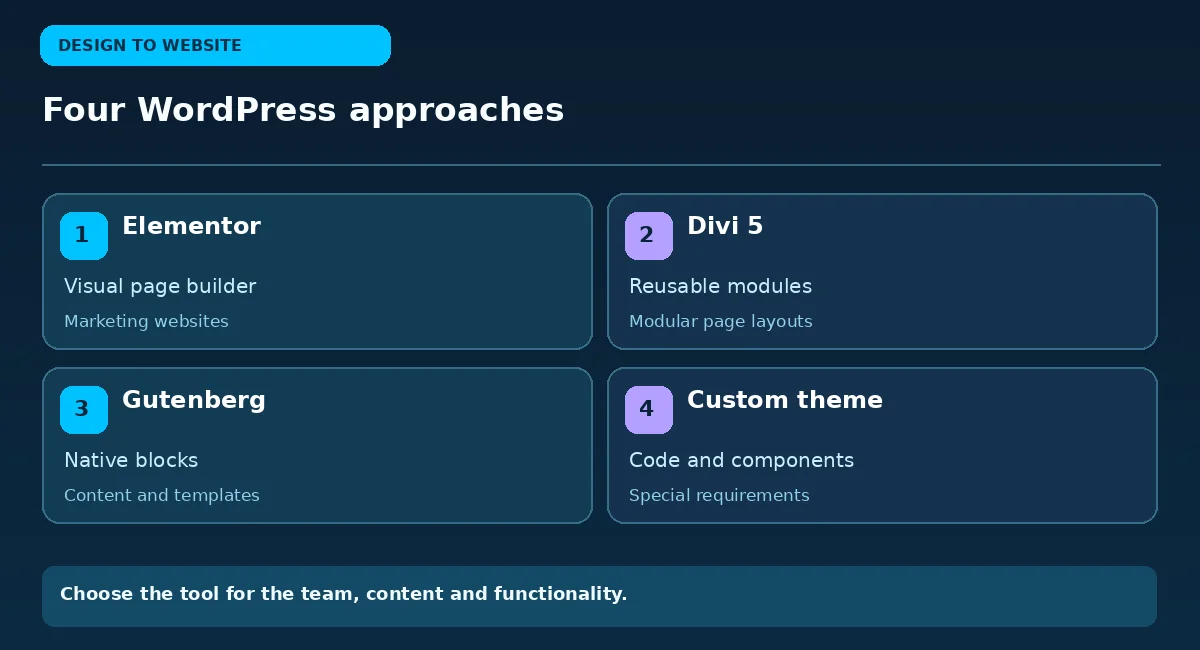
- Elementor: a visual page-building workflow that suits marketing websites, portfolio pages and teams already familiar with Elementor. Complex interactions may require extra extensions or custom code.
- Divi 5: a visual builder with reusable styles, modules and page layouts. It is suitable where the site will continue to be maintained using Divi; compatibility with specific third-party tools should be tested.
- Gutenberg and a block theme: native WordPress blocks, templates and patterns, useful for content-led websites with repeatable sections. Highly specialized layouts can require extra styling or custom blocks.
- Custom WordPress theme: tailored templates, CSS and JavaScript for special interface requirements, integrations or a defined frontend architecture. This provides flexibility but requires clear documentation and ongoing maintenance.
How to choose the right approach
Start with content editing, not visual hype. Will staff need to create landing pages? Change pricing cards? Reuse testimonials? Maintain dozens of case studies or product categories? The editor experience is part of the deliverable. A perfectly matched design becomes costly if every content change requires a developer.
Neither a builder nor custom code automatically guarantees a fast website. Performance depends on hosting, assets, plugins, theme implementation and caching. Review the WordPress Site Editor, the Elementor prototype workflow and the Divi 5 Visual Builder to understand the underlying editing models before deciding.
Responsive design is more than a desktop screenshot
A 1440-pixel mockup does not define how the layout behaves at every width. Developers must decide when navigation collapses, how cards stack, what happens to wide tables and how headings wrap. Test actual devices, not only a desktop browser resized to a few preset widths.
If the website is multilingual, account for longer translations. English, Polish and Ukrainian product names or calls to action may fit differently. Do not turn important text into images merely to preserve exact screenshot geometry; live text is easier to access, update and translate.
Build reusable components, not isolated pages
A good implementation begins with colours, typography, spacing, buttons and reusable modules. Headers, footers, service cards, testimonials, FAQs and calls to action should follow shared rules. This reduces the time needed for later improvements and keeps the site visually consistent. Native WordPress patterns and template parts can support this approach.
For WooCommerce, a homepage design alone is not enough. Product archives, product details, variants, filters, cart, checkout, confirmation messages and transactional emails all need attention. Test the actual payment and delivery services used by the business before approving launch.
SEO and accessibility after implementation
The developer should use a meaningful H1 hierarchy, semantic HTML, descriptive links, image alternative text, editable metadata and suitable URL structure. Verify sitemap, canonical rules and indexation. When replacing an existing site, map old URLs to new destinations with appropriate redirects instead of discarding established addresses.
Use Core Web Vitals as part of the performance review, together with real device tests. Avoid uncompressed hero images, unnecessary scripts and visual effects that slow down meaningful content. Evaluate keyboard access, focus states, contrast and form labels against WCAG guidance.
What determines the development price
Two websites with the same number of pages can require very different amounts of work. Ten pages assembled from four reusable components may be simpler than one page with advanced animations or a pricing configurator. Cost drivers include unique layouts, responsive states, multilingual content, WooCommerce, integrations, content entry, QA and editor training.
For an accurate estimate, share the Figma link, the number of unique templates and a feature checklist. Budget for hosting, any paid builder licenses or extensions, maintenance and future changes. An inexpensive initial quote is not helpful if the site cannot be maintained independently.
Acceptance checklist before paying the final invoice
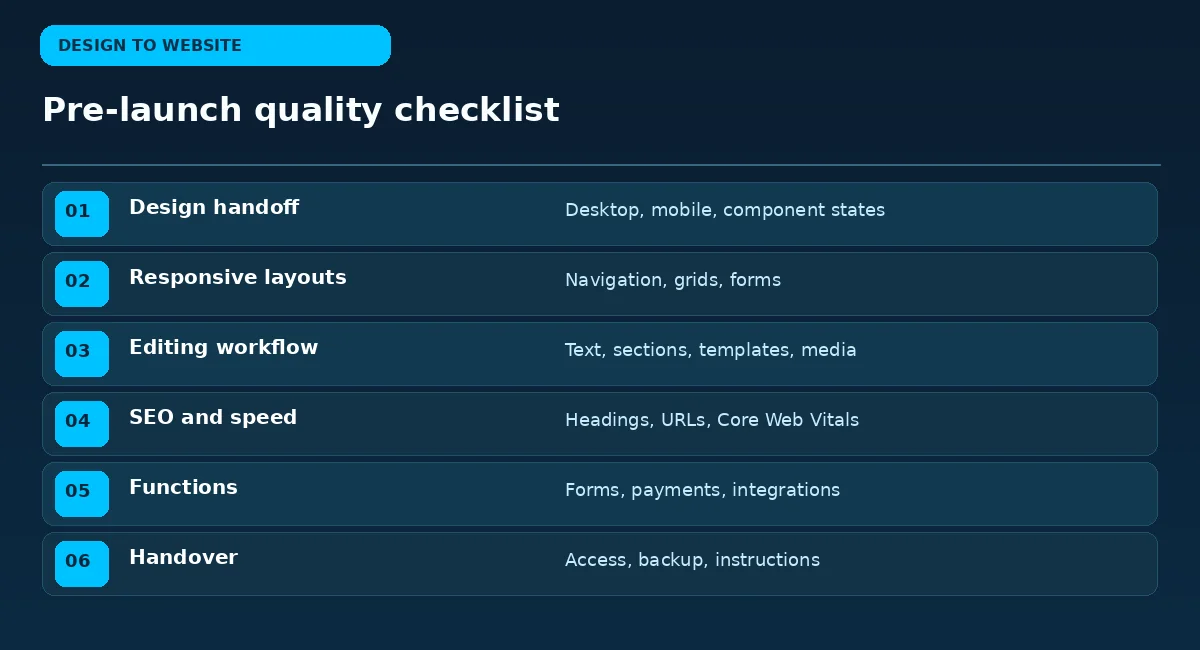
- Compare all unique Figma frames with desktop, tablet and mobile implementations.
- Test menus, buttons, forms, validation, confirmation messages and accessibility.
- Edit real text, a service card and an image from WordPress as a non-developer.
- Verify checkout, delivery, payment and stock scenarios if ecommerce is included.
- Check page titles, indexing, broken links, redirects and languages.
- Receive the required logins, licenses, backup and basic handover documentation.
Frequently asked questions
Can Figma be converted into WordPress in one click?
Some tools can generate layouts or starter code, but this does not guarantee a finished accessible, responsive, SEO-ready WordPress website. The result still needs testing and implementation work.
Is Elementor faster than Divi?
There is no universal answer. Compare equivalent live pages with the same hosting, assets and requirements rather than assuming a winner from the builder name.
Can Gutenberg reproduce a Figma design?
Yes, many designs are possible using blocks, patterns and a suitable theme. Complex interfaces may need custom blocks or styling.
Will my team be able to edit the website?
That should be defined before development. Specify which sections, templates and content fields staff must manage without coding.
Does a Figma design include WooCommerce functions?
No. Store functionality, payments, shipping and order management must be implemented and tested separately.
Conclusion
Figma defines the design; WordPress provides the operating website. CianBay Studio develops WordPress websites from Figma concepts with an implementation approach chosen for the business, including Elementor, Divi, Gutenberg or a custom theme. We work with clients in Ukraine and internationally.