Dmytro CianBay · 22.11.2026 · 7 min read
15 Essential WordPress Plugins for Business Websites: What You Actually Need
Choose WordPress plugins for security, backups, SEO, speed, forms and ecommerce. A practical guide to building a reliable business website without duplication.

The first thing a business owner needs from a website is reliability, not a record number of installed extensions. A booking enquiry that never reaches the receptionist costs more than a missing animation. An order that cannot be recovered after a server failure is more serious than an imperfect SEO score. At CianBay Studio, we prefer to select extensions around the operations a website supports. These fifteen WordPress plugins illustrate common needs, with a clear distinction between essential capabilities and optional tools. You should not install them all simply because they appear on this list.
Protect access and business information
1. UpdraftPlus: recoverable backups
UpdraftPlus can back up database content and files, store copies remotely and support restoration. Set a schedule that reflects how much recent information the business can afford to lose. A brochure site updated monthly needs a different approach from a shop receiving orders every hour. A dependable hosting backup service may already cover this requirement. In either case, test restoration and keep copies outside the production server.
2. Wordfence Security: monitor and protect
Wordfence provides a firewall, malware scanning and login security features. Configure notifications so somebody actually responds to important findings. Check that integrations such as payment callbacks and external inventory updates remain functional after security settings change. A firewall is useful, but it cannot compensate for neglected updates, shared administrator credentials or an unsupported theme.
3. Two Factor: safer administrator sign-in
Two Factor is a dedicated option for adding a second authentication factor. Require a second factor for privileged accounts and agree on a secure recovery process. If the existing security package already supplies two-factor authentication, use that capability instead of layering two independent login mechanisms. The objective is safer access, not additional settings.
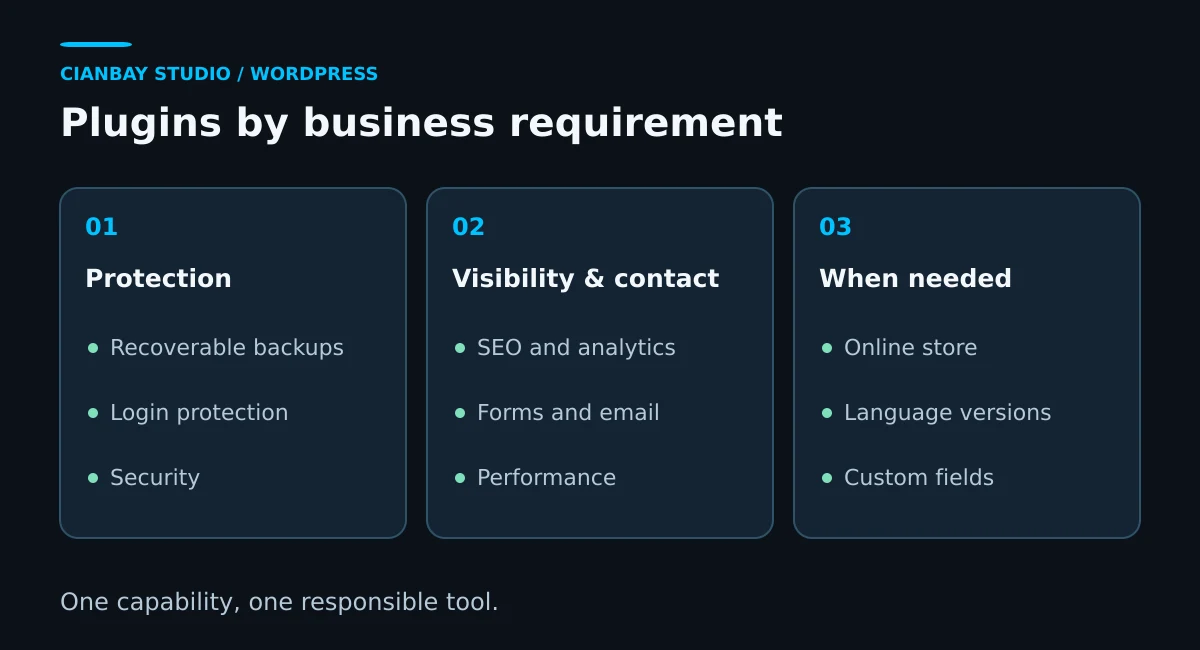
Make the site discoverable and useful
4. Yoast SEO: search optimisation foundations
Yoast SEO supports metadata, canonical URLs, XML sitemaps and other on-page SEO settings. It gives editors a consistent place to manage these settings. However, a good score in a content editor does not guarantee search rankings. Pages still need relevant information and a sensible internal linking structure. Choose one main SEO package rather than generating competing metadata through several extensions.
5. LiteSpeed Cache: performance tuning
LiteSpeed Cache offers resource optimisation and, with compatible LiteSpeed or QUIC.cloud infrastructure, page caching. Ask the hosting provider which caching facilities it already supplies before choosing a plugin. More aggressive optimisation is not automatically better. Test navigation, mobile layouts, shopping baskets and logged-in sessions after changing settings. Measure user-facing results instead of judging performance by a single homepage score.
6. Fluent Forms: capture enquiries
Fluent Forms provides tools for building forms, surveys and other information collection workflows. A service company might need only a name, contact details and a project description. A training provider may need course selection and session preferences. Collect only information that serves the purpose. If Divi, Elementor or another existing component already delivers an adequate form, a separate builder may add unnecessary complexity.
7. WP Mail SMTP: dependable email configuration
WP Mail SMTP connects WordPress email delivery to a configured mail provider. The important outcome is that customers and staff receive the messages they expect. Check the sending identity and domain authentication, send genuine test messages and inspect the receiving inbox. A successful submission screen does not establish that an email arrived. No SMTP plugin can guarantee delivery to every mailbox.
8. Redirection: preserve useful URLs
Redirection lets you manage redirects within WordPress. When changing the URL of a service page, map the old address to the most relevant replacement. Monitor unexpected 404 responses and avoid unnecessary redirect chains. Update internal links to point directly to their intended destinations. If the hosting environment or SEO package already manages redirects, maintain a single authoritative set of rules.
9. Site Kit by Google: accessible reporting
Site Kit brings information from Google services such as Search Console and Analytics into WordPress. This can make performance reporting more approachable for a small team. Define which actions matter: submitted enquiries, completed bookings or confirmed purchases. Avoid adding measurement tags twice if a tag manager already handles them. Privacy and consent settings still require separate attention.
Extend the website when the business needs it
10. WooCommerce: online retail
WooCommerce adds products, a basket, checkout, stock handling and order management. Depending on the market, a merchant may need integrations with payment services such as Stripe or PayPal and carriers such as DHL or UPS. Confirm the availability and compatibility of the actual integration, rather than assuming all services are built into the core plugin. A straightforward consultancy website may not need ecommerce at all.
11. Polylang: localised website content
Polylang organises content into separate language versions. Plan URL structure, translation ownership and language-specific navigation before launching. For shops, check the WooCommerce integration and support for translated products and emails. A genuine localisation strategy includes local payment expectations, shipping conditions, units and terminology. Simply translating the same text is rarely enough for multiple target markets.
12. Loco Translate: interface strings
Loco Translate is useful when a theme or plugin displays a button, label or error message in the wrong language. It edits translation strings; it does not create complete multilingual pages. Keep customised translation files in an appropriate location so vendor updates do not silently overwrite them. Separate interface translations from the editorial process.
13. Complianz: consent management
Complianz helps configure consent banners and cookie management. Check what happens when a visitor grants, rejects or withdraws consent. Identify the actual trackers and third-party services used on the website. Requirements depend on the audience and data processing, and a plugin alone does not establish legal compliance. Seek qualified guidance where necessary.
14. Advanced Custom Fields: consistent content editing
ACF allows developers to create structured editing fields. An equipment supplier could maintain specifications, dimensions and downloadable documentation without rebuilding the page for every model. A property company might use consistent location and availability fields. Let the content model reflect the operation. If the existing editor already provides sufficient structure, an additional data framework may be unnecessary.
15. Health Check & Troubleshooting: identify conflicts
Health Check offers diagnostics and a troubleshooting mode for investigating component conflicts. You can isolate suspected themes and extensions for your own troubleshooting session without normally changing the public visitor experience. Complex checkout or integration failures are still best investigated in staging. This plugin is a diagnostic aid, not a permanent performance improvement.
Choose a small, maintainable stack
Make a simple inventory of existing capabilities. A typical local service site needs reliable recovery, access protection, search settings, enquiries and their delivery. An online shop additionally needs product, payment, shipping and stock workflows. Include hosting facilities in the inventory and avoid paying twice for overlapping functionality.
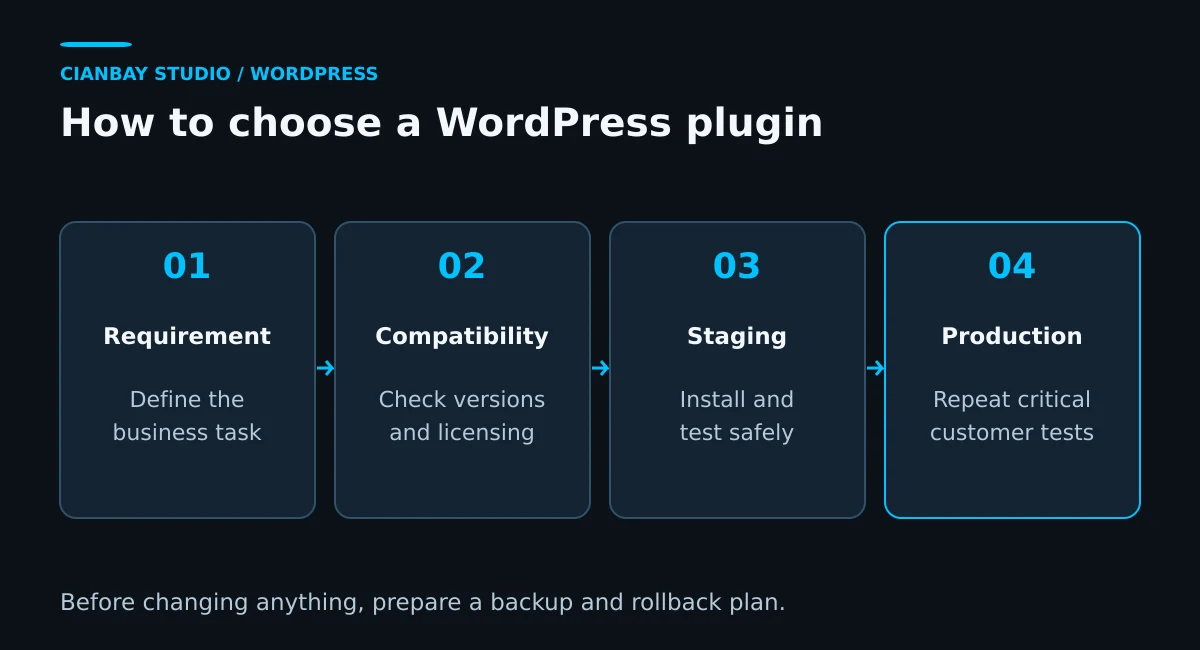
Check the extension's documentation, supported WordPress and PHP versions, update history and support options. Establish whether the necessary features require a paid licence. Test the candidate plugin against a representative copy of your website, including the business-critical customer journey. Document what changes and how to roll it back. Before removal, determine whether it owns information that must be retained.
Frequently asked questions
How many plugins are too many?
There is no universal count. Runtime behaviour, data processing, external dependencies and ongoing maintenance matter more than the total. A single poorly designed plugin can be more disruptive than several lightweight ones.
Should I buy every premium edition?
No. Compare the capabilities you need against the free and paid tiers. A premium licence may be worthwhile for a critical integration, specialist support or operational requirements. Do not buy features just because a bundle includes them.
Can I update plugins myself?
Yes, provided you have a usable backup and a testing process. For a commercial site, verify important journeys after changes, especially payments, enquiry delivery and account access. Our WordPress and WooCommerce security guide explains related security measures.
Conclusion
The best plugin stack for a business website is one that supports its actual work, remains understandable to the owner and can be maintained over time. At CianBay Studio, we build WordPress and WooCommerce websites for clients in Ukraine and internationally. If your existing site has overlapping extensions, recurring errors or unclear licence costs, our WordPress maintenance service can establish a practical improvement plan.