Dmytro CianBay · 22.11.2026 · 7 min read
Divi, Elementor, Gutenberg or Custom Code: Which WordPress Approach Should You Choose in 2027?
Compare four WordPress development approaches by editing experience, performance, SEO, licensing, maintenance and long-term business costs.
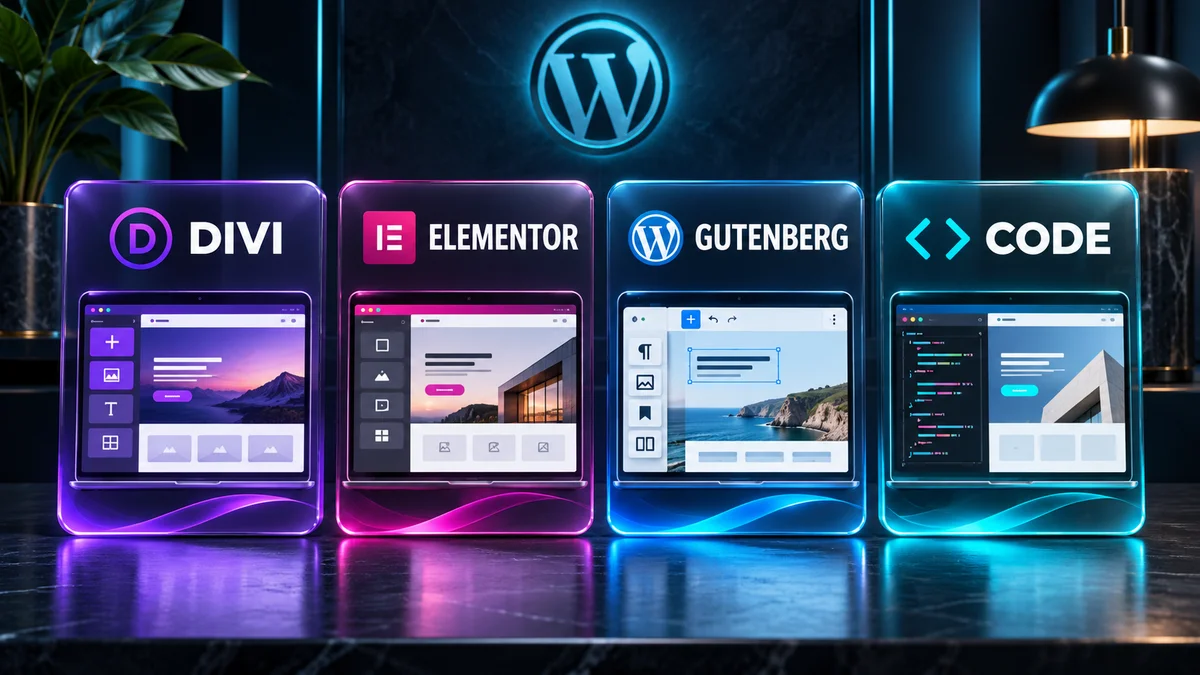
Two WordPress websites may look virtually identical to customers while being completely different behind the scenes. Adding a new branch location might take an employee five minutes on one website and require a developer on the other. Updating a global design element might involve a single template or dozens of individual pages. These differences matter much more to business owners than the choice of editing interface alone. This guide compares Divi, Elementor, the WordPress block editor and custom theme development from a practical business perspective.
Define the four approaches
WordPress itself is a content management system. Divi and Elementor are visual page-building products with their own template systems. Gutenberg is the project behind the built-in WordPress block editor. Custom development means building a WordPress theme and the necessary components with code rather than relying on a separate proprietary layout builder. It does not necessarily mean writing an independent content management system from scratch.
These approaches can overlap. A custom block theme can provide a carefully controlled Gutenberg editing experience. A Divi website may include bespoke integration code. An Elementor website can use ordinary WordPress posts for its editorial content. The useful question is where each technology contributes value and how clearly its responsibilities are separated.
Divi: a unified visual workflow
Divi from Elegant Themes combines a theme with a visual page builder. Divi 5 allows developers to assemble content using modules and manage recurring layouts using Theme Builder. A company with many service pages can use shared templates and consistent visual settings rather than manually recreating every section.
For a studio producing websites regularly, this approach can make development predictable. Common layouts can be established, refined and reused while allowing room for project-specific needs. For the owner, the editing experience needs a sensible handover: someone should be able to update an opening time or photograph without accidentally changing the navigation.
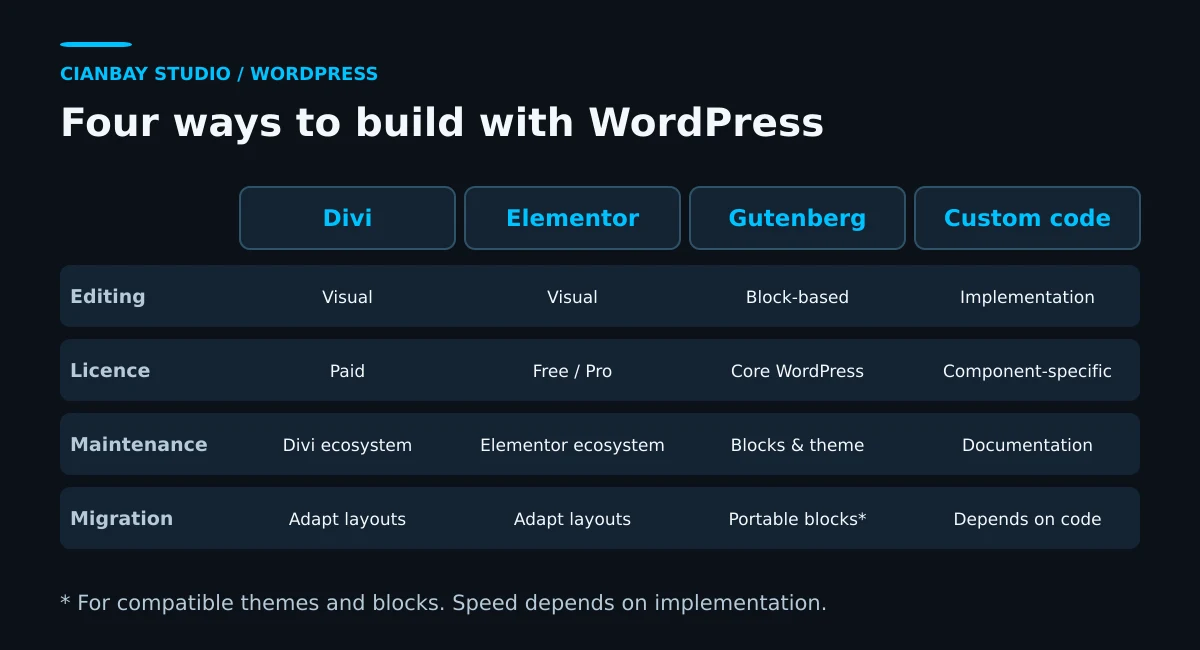
Divi is commercial software. Elegant Themes offers a lifetime Divi membership under its licence conditions, while optional services can carry separate subscriptions. Ask who controls the licence and how the site will receive updates after handover. See the official Divi 5 Theme Builder guide and Divi Lifetime membership.
Elementor: modular visual building
Elementor is a plugin that works with compatible WordPress themes. Its free editor provides fundamental page-building capabilities, while commercial plans add features. Theme Builder in Elementor Pro supports designing shared site elements and dynamic templates. The precise set of available features depends on the selected plan.
Elementor can be a sound choice where an existing team knows the interface or needs a particular integration. A website using an appropriate design system and carefully selected widgets can be convenient to maintain. Avoid accumulating overlapping widget collections just to obtain one useful feature. Every additional package has its own upgrade path, dependencies and support arrangements.
When evaluating a paid plan, establish renewal costs, licence ownership and what happens if you change provider or the subscription ends. Consult the official Elementor Free and Pro comparison for current capabilities rather than relying on an old price comparison.
Gutenberg: the native WordPress block editor
The built-in editor works with blocks for common content such as paragraphs, images, headings, buttons and columns. When using a block theme, Site Editor extends this approach to templates, navigation and other parts of the website. WordPress documents both the block editor and Site Editor.
This approach suits businesses that publish regularly and want a comparatively standard editing experience. Core blocks do not require a separate commercial builder licence. A thoughtfully designed block theme can provide reusable patterns and global styles, enabling editors to create consistent pages. Additional block libraries or custom components may still be needed when the business has specialised design or functional requirements.
The native editor is not automatically simpler for every project. It helps to establish reusable patterns and editing boundaries so staff can focus on content rather than assembling layouts from scratch.
Custom WordPress development
Building with custom code can involve a classic theme, a block theme or a hybrid architecture. Developers can create PHP templates, HTML, CSS, JavaScript, tailored editing fields and custom blocks. The official WordPress Theme Handbook explains the different types of theme.
This option offers particular value when the website requires unusual interaction, a sophisticated catalogue or a specialised interface. It can give the developer detailed control over markup, styles and script-loading behaviour. That control is only beneficial if the implementation is well designed and thoroughly tested. Handmade code is not a substitute for accessibility, security, maintainability or documentation.
A custom solution should separate business functionality from presentation. A quote calculator, customer data integration or stock synchronisation process should not disappear when the company changes its theme. Editors should be able to update routine content with the WordPress administration interface instead of commissioning a code change for every new product description.
Performance and SEO: measure the actual website
Custom code and native blocks can allow a lean implementation, but they do not guarantee better performance. A poorly organised custom theme can load unnecessary scripts. An efficiently designed visual builder website can perform well when its content, resources and hosting are properly optimised. Compare pages with equivalent functionality, media, caching and infrastructure.
For a commercial website, test a product page or service landing page rather than only an empty demonstration page. Include the actual consent banner, navigation, images, scripts and forms. A fast homepage is of little value if customers experience a slow or broken checkout.
Search visibility depends on the rendered website: meaningful headings, crawlable links, mobile usability, metadata, indexing settings and useful content. No builder provides a shortcut to sustained search visibility. See our guide to website performance, SEO and sales.
Compare the cost of ownership over three years
An initial quotation is an incomplete measure. Consider development, hosting, domain renewal, relevant software licences, security updates, testing, repairs and future enhancements. A visual builder may reduce the time needed for common page layouts. Core blocks can reduce builder licence costs. Custom templates may be economical where many pages share a complex structure, although their design and testing require development time.
Ask the developer how much it would cost to add ten service pages or change every product-card layout. Find out whether the solution uses shared templates and whether internal staff can maintain ordinary content. Include potential migration costs: proprietary layouts generally require adaptation or rebuilding when switching tools, while standard block content is often easier to reuse across compatible themes.
Paying once for development does not eliminate hosting, domain costs or the need to keep software maintained. A good contract makes the ongoing responsibilities and optional services clear.
Apply the comparison to your business
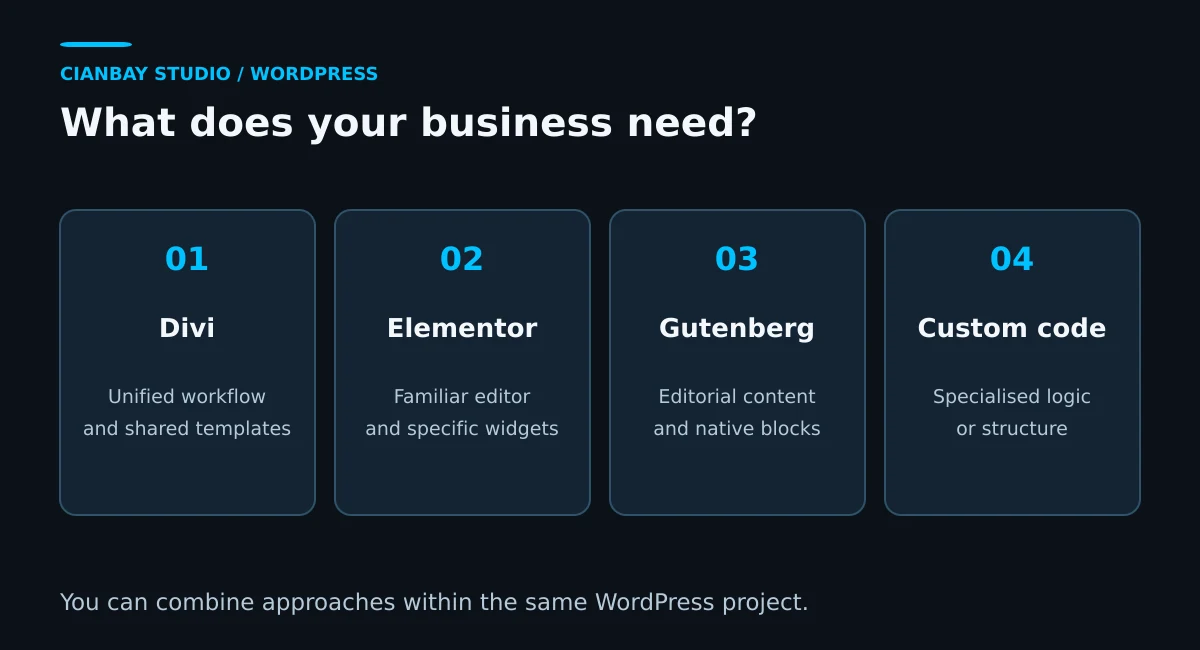
A consultancy operating across several cities may benefit from repeatable templates and staff-editable landing pages in Divi or Elementor. A publication or knowledge hub with frequent updates may benefit from core blocks and reusable patterns. A WooCommerce store can be built using several approaches. The business should prioritise product management, regional payment methods, delivery integrations such as DHL or UPS, and a tested checkout over the editor used for its marketing homepage.
For a company selling configurable equipment, a tailored product selector might require custom code while ordinary content uses a visual editor. A mixed approach can provide a convenient editing experience without forcing complex operations into unsuitable widgets. The best architecture makes each part replaceable and understandable.
Frequently asked questions
Is a hand-coded site always faster?
No. The absence of a builder may reduce dependencies, but actual speed depends on the implementation, content, hosting and integrations. Measure representative pages.
Can I switch builders later?
Yes, but budget for rebuilding templates, checking content and testing the new configuration separately from the live site. Keep a recoverable backup.
Which approach does CianBay Studio use?
We primarily work with Divi and also use Elementor, native WordPress features and custom code where appropriate. The technology is selected according to the project.
Conclusion
A sustainable WordPress website is one that supports business operations and remains maintainable as the organisation grows. CianBay Studio develops business websites for clients in Ukraine and internationally. We evaluate project requirements, editorial needs, integrations and future maintenance before recommending an approach.