Dmytro CianBay · 23.11.2026 · 7 min read
Your Website Developer Disappeared: How to Regain Control of Your Site in 2027
Lost contact with your developer? Identify the domain registrar, recover hosting and WordPress access, protect data, and preserve SEO without unsafe shortcuts.
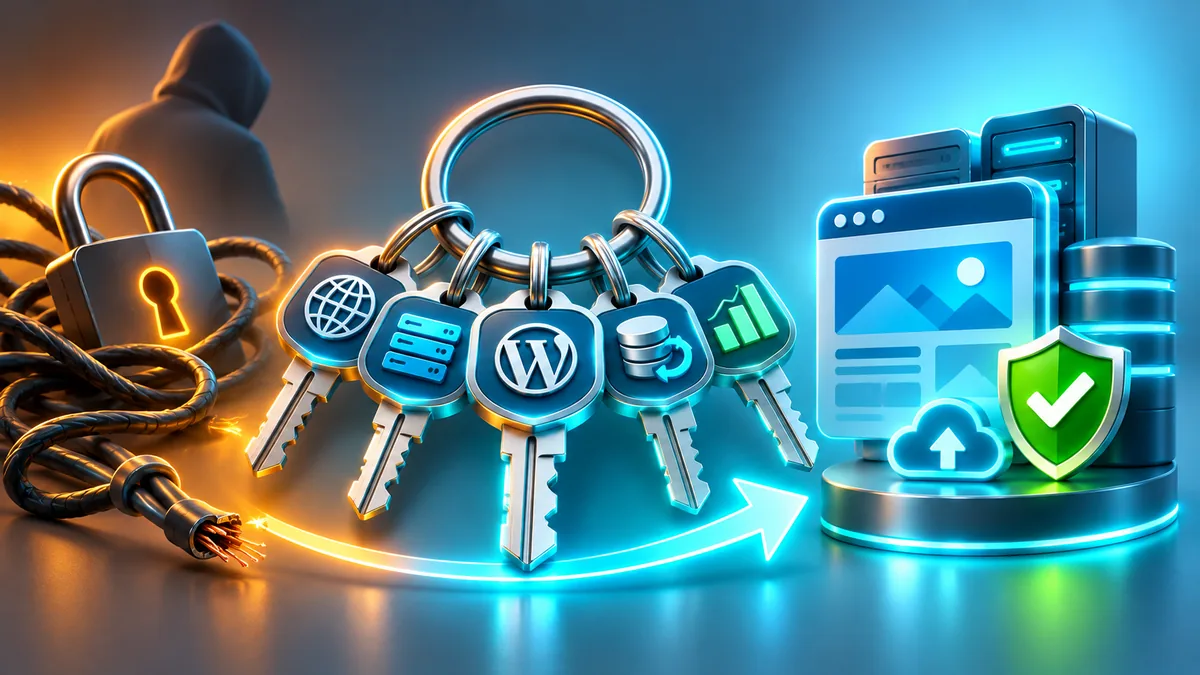
Your business website is online, but the person who built it no longer replies. You cannot log in to the hosting panel, the domain may be registered under a personal account, and your WordPress role is limited. This happens after a freelancer leaves, an agency closes or a working relationship ends. It does not always involve wrongdoing. The first task is to establish who controls each service and what the contract actually covers.
This is a guide for business owners and their authorised representatives. Do not guess passwords, bypass someone else’s account protections or obtain customer information without permission. Where ownership or intellectual property is disputed, provider verification and legal advice come before technical access changes.
A website is not one account
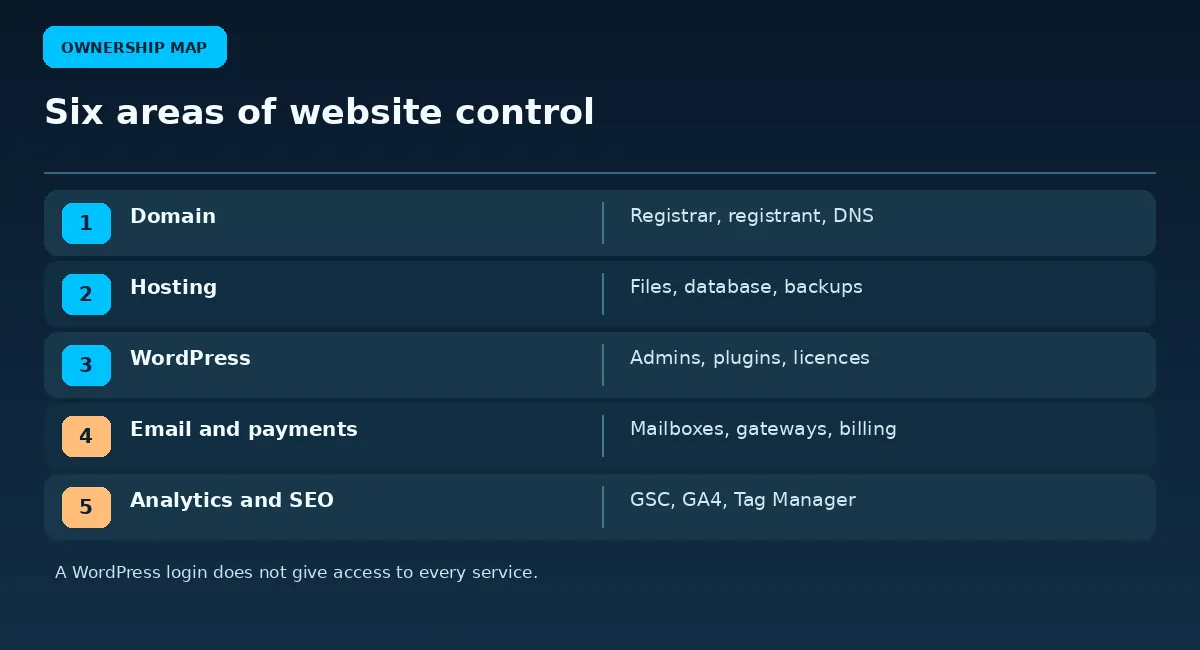
The WordPress administrator login, domain registration, DNS, hosting and third-party services are separate assets. Paying for a website does not necessarily mean every account was registered in your company’s name. Map them before taking action.
- Domain registration: registrar, registrant of record, renewals and authorisation to change nameservers.
- DNS/CDN: records, SSL, email routing, proxy configuration and DNSSEC.
- Hosting: billing, server panel, SFTP/SSH, files, database and backups.
- CMS: WordPress administrators, plugin settings, accounts and premium licences.
- Business tools: domain email, payments, GA4, Search Console, Tag Manager, CRM and marketing platforms.
- Intellectual property: content, images, design, source files, contracts and third-party licences.
First actions: preserve evidence and current operations
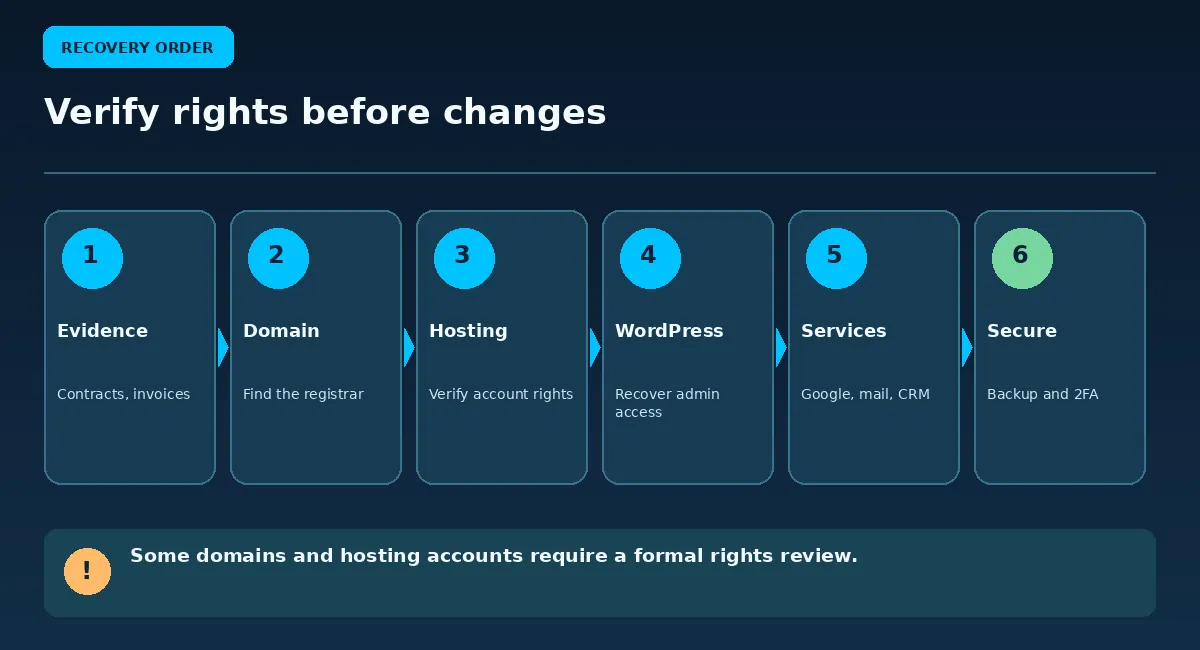
- Collect the contract, invoices, payment records, project briefs, communications and domain registration notices.
- Search company email and password managers for old invitations from the registrar, host and WordPress.
- Record the domain, renewal date, existing account access and services needed to keep the business running.
- Where authorised, make independent copies of site files, database, DNS configuration and email settings.
- Send a documented request asking the former developer to transfer specific accounts and project assets.
Avoid changing nameservers before confirming the current DNS records. You could break email, SSL validation, payments or other business services. For an online store, preserve order data created after the most recent backup.
1. Identify the domain registrar and registrant
For many generic top-level domains, start with ICANN Lookup. The result can identify the registrar, although privacy rules may hide registrant contact details. ICANN explains that clients who cannot reach a developer who registered their domain should contact the registrar. Country-code domains may follow different registry rules, so verify the relevant policies.
Have evidence ready, such as invoices, business registration, contract and correspondence. A registrar may require a formal identity and rights check. If the developer is listed as registrant of record, proof that you paid for a website is not an automatic transfer instruction. A dispute may require negotiation or legal assistance. No reputable provider can guarantee instant reassignment without verification.
2. Recover hosting access through the provider
Check invoices, email notices, DNS history and provider correspondence to locate the hosting company. The IP address alone may point to a CDN or managed infrastructure rather than the contractual host. If your business owns the hosting account, ask support about their recovery process. If a third party owns it, the provider may not disclose credentials or files without authorisation.
When legitimate access is available, save website files, a full database export, media, scheduled tasks, redirects, PHP details, SSL configuration and working backups. Test restoration on a staging environment before repointing DNS. A live WooCommerce store also needs a plan for new orders, payment settlements and inventory.
3. Regain WordPress administrator access
Start with the standard password reset if you control the email associated with an authorised WordPress account. The official WordPress password recovery guide documents other options for people with legitimate server access. An authorised administrator may use tools such as WP-CLI when SSH and hosting permissions are available. These approaches are not a substitute for obtaining lawful control of the hosting account.
After access is restored, review administrator roles, recovery email addresses, API tokens, backup destinations and two-factor authentication. Do not immediately delete accounts needed by integrations or for an agreed handover. First ensure the site can be operated independently.
4. Reclaim Google and marketing services
WordPress access does not automatically grant access to GA4. Google documents Analytics access management separately. In Search Console, legitimate owners can verify control using an available ownership method, then review users and verification tokens. Google advises checking unused ownership tokens when former verified owners are removed, as they may otherwise be able to regain access.
Audit Ads, Merchant Center, Tag Manager, Meta Business, payment providers, email systems and CRM accounts. Rebuilding these accounts unnecessarily can cause lost measurement history, audiences or tracking integrations. Where the original account cannot be recovered, document the trade-offs before creating replacements.
What if you only have the public website?
A website that anyone can view is not a legitimate route into its private database, hosting panel or payment accounts. You may preserve material you own or are licensed to use, capture the public URL structure and build a replacement on infrastructure owned by your organisation. Screenshots or crawls of public pages will not restore orders, private customer records, original source files or subscription billing tokens.
Keep SEO when moving to new hosting
Inventory URLs, page titles, metadata, structured data, redirects, language versions and sitemap entries. If you keep the domain and URLs, an infrastructure change is generally less disruptive than a domain change. If paths change, prepare one-to-one mapping and permanent redirects wherever authorised control is available. Losing the original domain may make redirects impossible.
After a migration, check important HTTP status codes, canonical tags, robots.txt, hreflang, Search Console and conversion tracking. Do not promise unchanged rankings: search engines must reprocess the technical changes. A careful plan reduces risk but does not eliminate it.
Secure access without breaking the site
After verifying control and completing a backup, rotate passwords and API secrets in a planned sequence. Enable MFA, review user accounts and remove obsolete access only after you understand dependencies. Be careful with email delivery, payment gateways, webhook signing secrets and cloud storage. Deleting a WordPress author can also affect content attribution unless posts are reassigned.
What a replacement developer should receive
- A separate, time-limited user account with appropriate permissions.
- A list of systems, current problems, major plugins, theme and hosting versions.
- A staging copy and an agreed scope of technical work.
- Critical workflows such as forms, checkout, booking, fulfilment and newsletters.
- A final handover checklist identifying who owns each account, data export and licence.
A premium theme, stock image or subscription application may be licensed to the previous agency, not the business. Renewing under your own account may be necessary. Ownership of a website does not grant automatic rights to all third-party code and creative assets.
Prevent the problem next time
- Register domain and hosting using company-controlled email and billing details.
- Use a corporate password manager and designate a backup administrator.
- Invite contractors as individual users instead of sharing the only owner login.
- Include access, deliverables, IP rights and handover requirements in contracts.
- Test independent backups and check who administers analytics and Search Console.
Frequently asked questions
Can I recover WordPress without the hosting password?
Possibly, if your authorised WordPress email account or another legitimate recovery method still works. Otherwise establish access with the provider or current account holder first.
I paid the invoice. Is the domain legally mine?
Not automatically. Registration records, contract terms and applicable registrar policies matter. Seek transfer through documented and authorised channels.
Can a new developer rebuild the website from screenshots?
Public design and some content can be recreated when you have the rights, but private data, purchase history and third-party licences cannot be recovered this way.
Will changing the hosting company damage SEO?
Not necessarily. Preserving URLs, uptime and technical settings reduces risk, but rankings cannot be guaranteed.
When is legal assistance appropriate?
When the registrant of record contests transfer, intellectual-property rights are disputed, or access to business data cannot be restored by normal verification.
Conclusion
Recovering website control starts with identifying the domain registrant, hosting customer and owners of connected services. CianBay Studio supports WordPress recovery, maintenance and site migration for clients in Ukraine and internationally. The recovery approach depends on the access and rights that can be verified.