Menu and prices
Update dishes, categories, prices and allergen information.
Group menus into dishes, drinks and seasonal offers. Update prices and availability without changing the design.
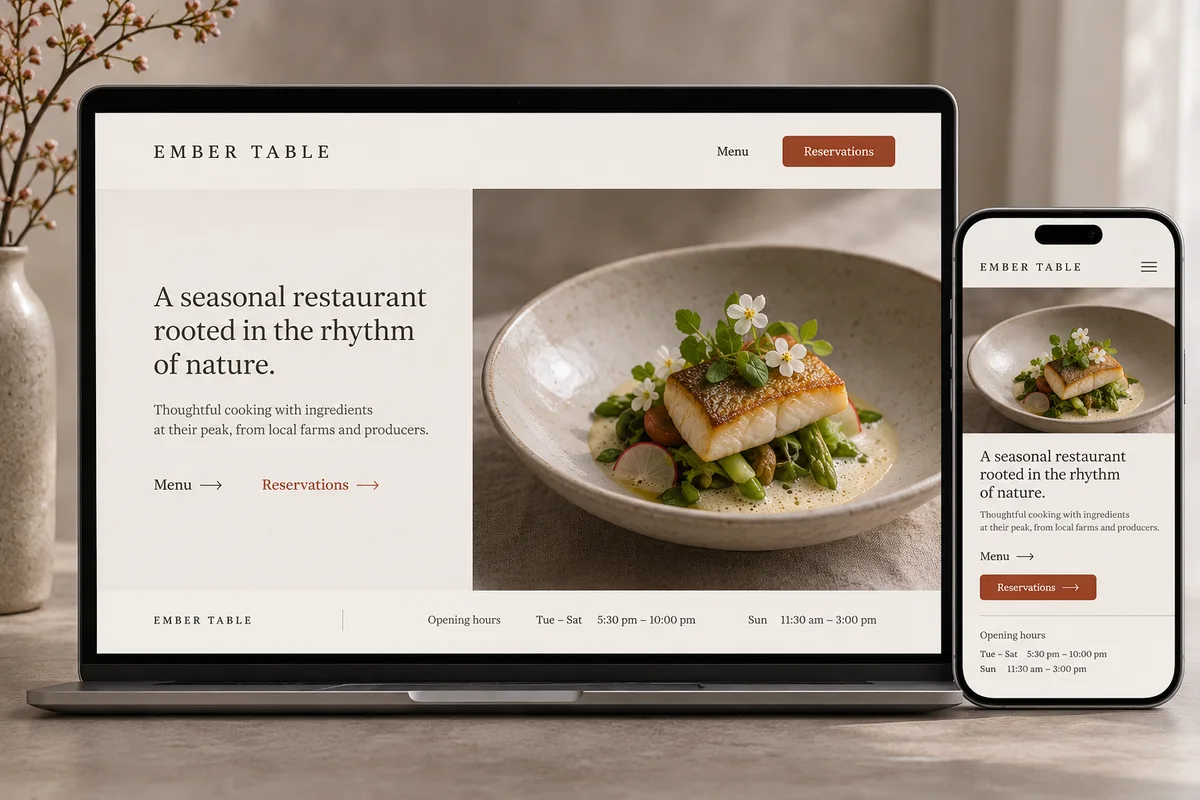
Update dishes, categories, prices and allergen information.
Group menus into dishes, drinks and seasonal offers. Update prices and availability without changing the design.
Show the venue atmosphere, interiors and food.
Interior and food photography shows the venue format and helps guests understand its atmosphere before visiting.
Collect table enquiries or integrate a reservation system.
A form or calendar can account for date, time, party size and reservation confirmation rules.
Optionally add online ordering and payment.
For online orders, agree delivery zones, minimum order, preparation times, payment options and collection.
The basic website starts at €340 and includes: Menu with prices, food gallery, location, opening times and enquiries. Quoted separately after assessing requirements: Delivery orders, online payments, table booking and POS integration. Domain, hosting and paid third-party licences are not included. We confirm the scope and final quote before starting.
A basic site presents the venue, menu and contact information. Reservations, delivery and payments are scoped separately.
Restaurant guests need a menu, current prices, address, opening hours and a clear reservation route immediately. Treat dining in, delivery and collection as separate journeys. Menu categories, portion information, verified allergen disclosures and seasonal availability matter more than decorative photography alone, especially when kitchen items change often.
A restaurant menu, table reservation and delivery checkout are three different workflows. Online orders require delivery zones, minimum spend, preparation times, collection options, allergen information and a process for unavailable dishes.
Online orders require delivery zones, preparation windows, minimum amounts, surcharges and payment rules. Table booking must respect actual capacity and staff confirmation. If a POS is already in place, check supported APIs and decide how cancelled orders or sold-out dishes are reflected online rather than assuming seamless synchronisation.
For local search, publish accurate venue details and menu pages consistent with business listings. Test the mobile order flow under peak demand, phone links and maps. Authentic dish images, useful accessibility information and real guest reviews support trust; avoid invented ratings or fake menus.
A restaurant visitor normally has one of three tasks: see the current menu, book a table or place an order. Each needs a distinct interface and rules. Menu pages should make it easy to update dishes, prices, portion sizes, availability and verified allergen information. At multi-location businesses, opening hours, menus, telephone numbers and delivery territories must not be mixed across branches. If online ordering is unavailable outside service times, visitors should learn this before payment, not after a failed checkout. Seasonal dishes and temporary closures need practical editing workflows.
Delivery needs address validation, minimum order amounts, zone-based fees, preparation times and collection rules. Table booking must reflect real room capacity and the manager's confirmation policy. Connect a POS only after reviewing APIs, including cancellations, modifications and sold-out items. Test the full mobile route from QR menu to basket, payment failure and kitchen notification; do not assume an API handles every exception. Accurate photographs, contact details and menus are useful both to diners and local search engines, without artificial ratings or generic location pages.
Prepare an accurate service or product list, real locations and contact details, up-to-date prices or quotation rules, rights-cleared media and someone to approve the facts. Confirm whether an existing CRM, calendar, stock system or other tool provides a documented API. Unknown integrations are assessed first, not included as an unsupported promise in a proposal.
Test mobile tasks, key-template performance, forms, notifications, contact routes, internal links, sitemaps, canonicals, language URLs and indexing readiness. Check exceptional conditions too: incomplete fields, unavailable slots or items, repeated requests, failed payment and external service outages. Analytics should capture meaningful enquiries and completed actions, not merely page views.
We agree the main pages and customer journeys first, then move through layout, content, integrations and end-to-end testing. The owner can update material in WordPress after handover. Timing depends on approved assets and checked integrations; we do not advertise an arbitrary universal three-day launch.
A starting guide for this category is €340. Basic scope: Menu with prices, food gallery, location, opening times and enquiries. Scoped separately: Delivery orders, online payments, table booking and POS integration. Domain, hosting and third-party paid services are agreed upfront; external accounts belong to the client.
Yes. Menus can use categories and individual dishes with editable prices, images, ingredients and allergen information. Changes appear online without reprinting materials.
Yes. A QR code links to a permanent menu URL, so it does not need replacing when dishes or prices change. The menu is designed for smartphone viewing.
Yes. It can collect table enquiries or use a reservation calendar, and offer a catalogue, cart and payment for delivery or collection. Rules and third-party integrations are agreed separately.
Tell us about your business and the functionality you need.
Message on WhatsApp ↗